HubSpot allows you to manage your sales pipeline and opportunities. Erplain retrieves these deals to automatically convert them into sales documents and update your inventory accordingly.
Sales pipeline configuration
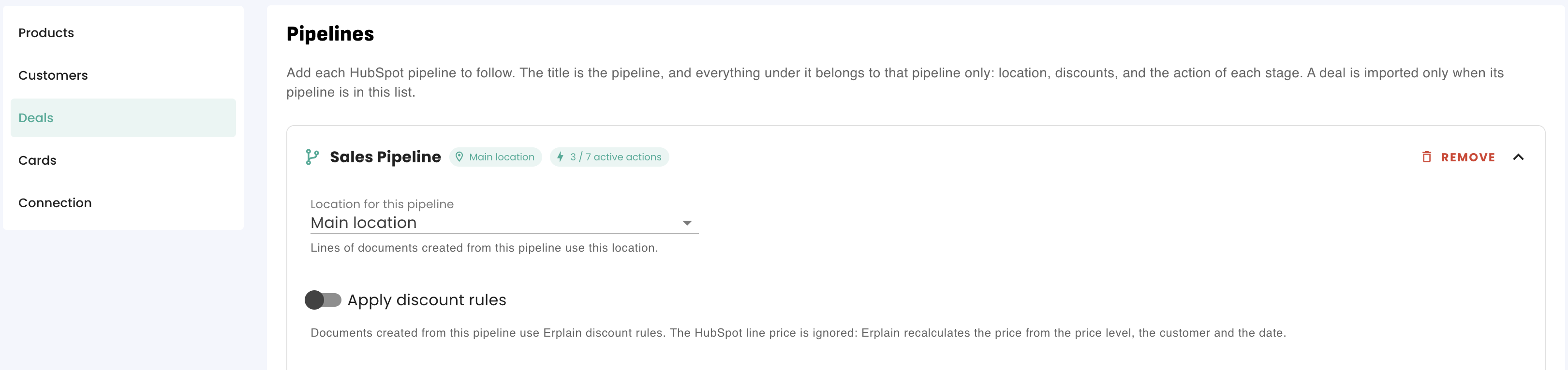
Go to Integrations > HubSpot > Deals and click Add a pipeline:
- Select the HubSpot pipeline to sync.
- Set the Location for this pipeline (mandatory): this warehouse will be assigned to product lines for inventory reservation or depletion.
- Check Apply discount rules if you want Erplain pricing rules to take precedence over the line prices of the HubSpot deal.
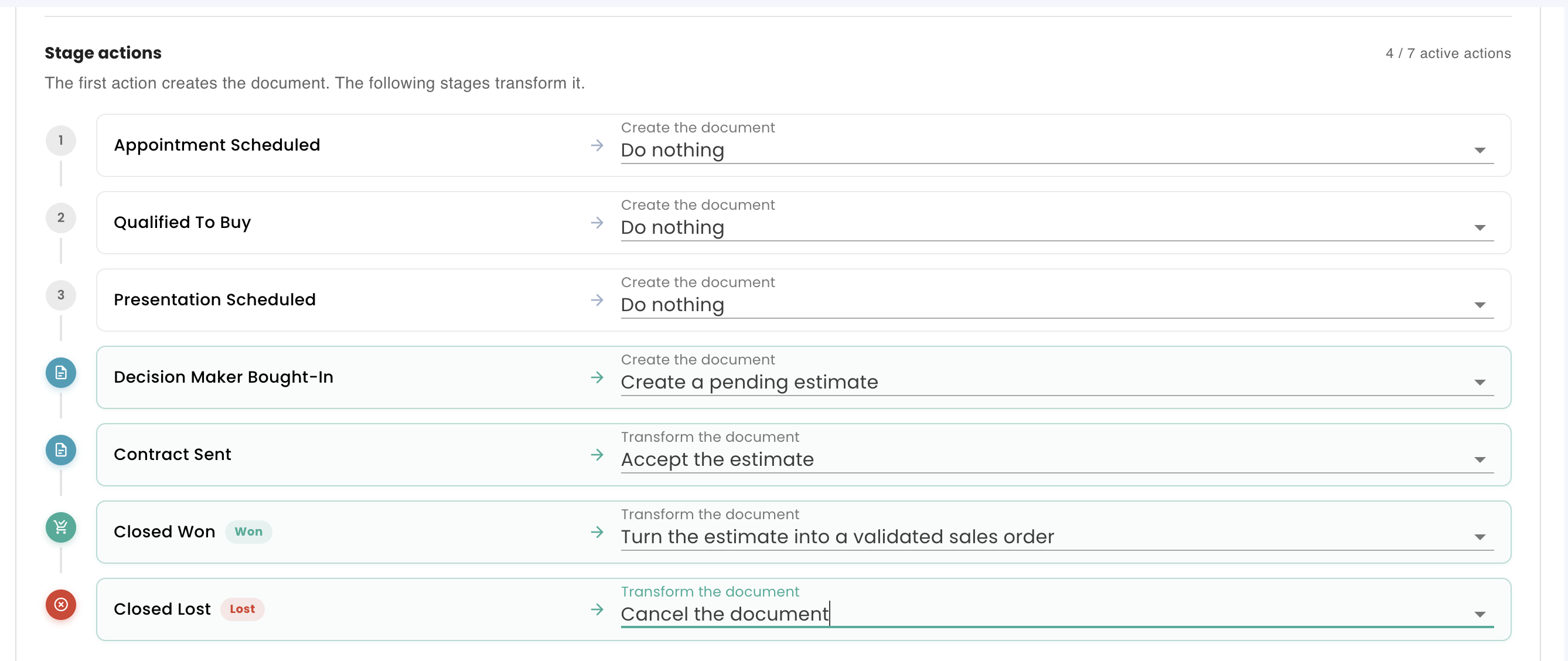
- Configure the action associated with each stage of the pipeline, then click save.
Historical date: The field “Import deals created on or after” lets you restrict synchronization to recent opportunities. Leave this field empty to import the entire history.
Stage actions and transformation rules
The first stage configured with an active action creates the document. Subsequent stages transform it. The “Do nothing” action ignores the stage.
You can configure multiple pipelines simultaneously, each following its own specific workflow.
| First possible action (Creation) | Possible transformations in subsequent stages |
|---|---|
| Create a pending estimate | Accept estimate → Convert to sales order (pending or confirmed) → Convert to draft invoice. |
| Create an accepted estimate | Convert to sales order (pending or confirmed) → Convert to draft invoice. |
| Create a pending sales order | Confirm sales order. |
| Create a confirmed sales order | Convert to draft invoice. |
| Create a draft invoice | No further transformation (or Cancel document). |
Numbering, pricing, discounts, and taxes
- Numbering: Your numbering sequences are maintained in Erplain. The HubSpot deal name is recorded in the document's External reference field.
- Deal selling price: A HubSpot deal does not dictate its line unit price. Erplain recalculates the price based on the customer's price tier and discount rules.
- Taxes: Determined according to your configuration (customer taxes, product taxes, or default tax).
- Notes and attachments: Notes from the HubSpot deal are automatically copied to the internal notes of the Erplain document, along with their attachments.
Specific case: HubSpot estimates
Unlike standard deals, an estimate generated in HubSpot retains its specific pricing:
- Line prices and taxes: The unit amounts and tax rates set on the HubSpot estimate are accurately reflected on the Erplain estimate.
- Line discount calculation rule:
- If the discount is specified as a percentage, this percentage is applied directly in Erplain.
- If the discount is entered as an amount in HubSpot, it is treated as a discount per unit. Erplain therefore multiplies it by the total line quantity (e.g., a $5 discount per unit on 4 items = a $20 total discount on the Erplain line).
- Location: An estimate linked to a deal uses the location of the pipeline. A standalone estimate uses the default location set in HubSpot settings.
- Priority: As soon as a HubSpot estimate is issued for a deal, that takes control of future updates to the Erplain document.
Note: A deal does not create any document if:
- It does not include any products or any associated contact/company.
- Its pipeline is not configured in Erplain or its current stage is set to “Do nothing”.
- Its creation date is earlier than the date threshold defined in your settings.
Was this article helpful?
That’s Great!
Thank you for your feedback
Sorry! We couldn't be helpful
Thank you for your feedback
Feedback sent
We appreciate your effort and will try to fix the article