Thanks to Erplain CRM cards, you can view your stock levels in real time and monitor the sync status of your records directly within HubSpot, without leaving your CRM.
 Card configuration and display
- In Erplain, customize your options in Integrations > HubSpot > Cards.
- In HubSpot, go to your connected apps settings and add the cards of your choice.
- Customize your sidebars or middle panes to display the desired Erplain CRM cards.
1. Stock card on product records
Instantly view stock levels on product records in HubSpot:
- On-hand stock: Quantity physically available in your warehouses.
- Available stock: On-hand stock minus reserved sales orders awaiting shipment.
- Incoming stock: Quantities ordered from your suppliers awaiting receipt.
Display options: You can display the consolidated total across all locations or a breakdown by location (1 location per row, with pagination).
2. Stock card on quotes and deals (“Line stock”)
Placed on a HubSpot deal or quote, the Line stock card shows the stock level available for each line item in the opportunity:
- Displays the total quantity or the quantity for selected locations.
- If an item is not yet synchronized with Erplain, the message “Not linked in Erplain” is clearly shown.
3. Synchronization status cards (“Sync status”)
Three cards provide live visibility into your records' sync status:
- Sync status (product): On product records.
- Sync status (customer): On company and contact records.
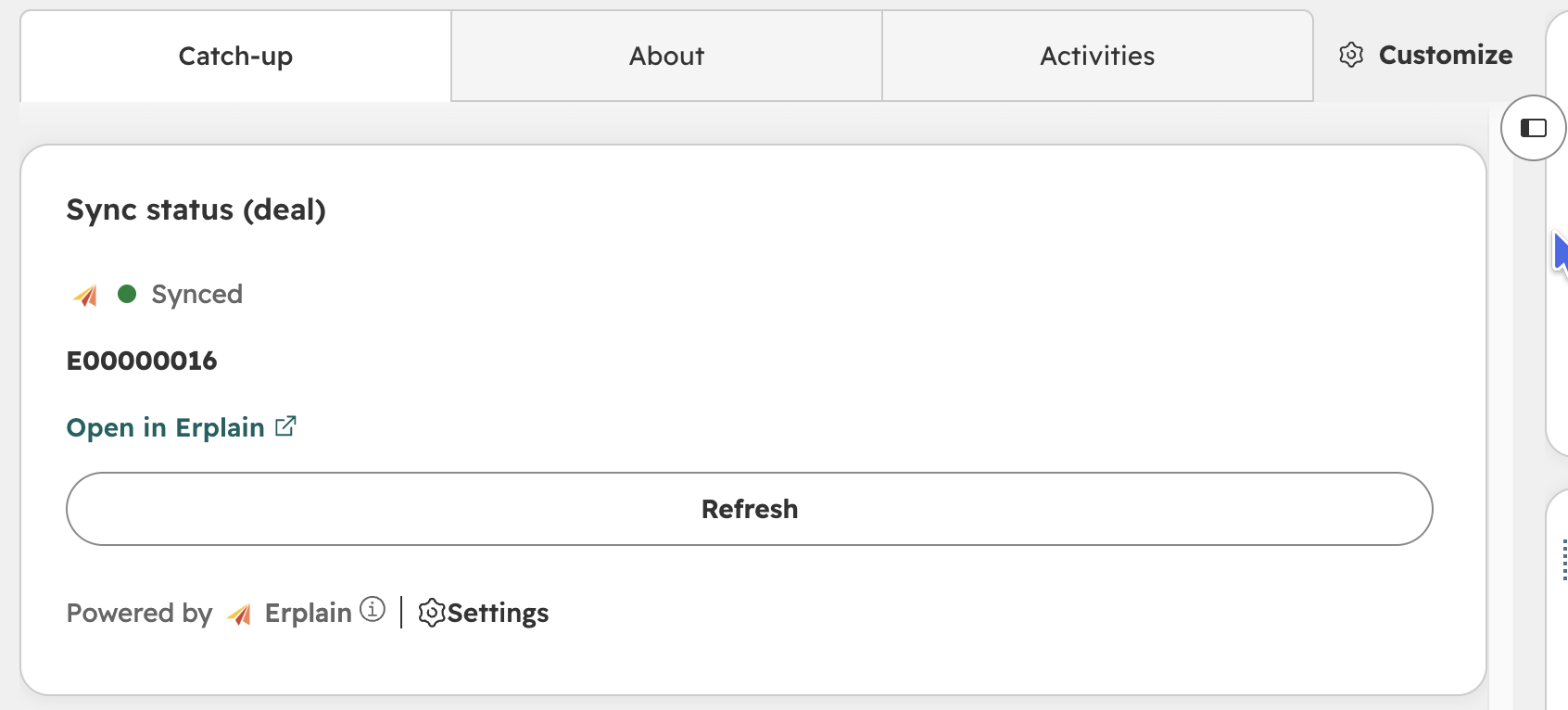
- Sync status (deal): On deals.
These cards show whether the record is synced or, if not, the specific reason for the issue (e.g., missing customer, pipeline not configured, SKU already linked). Once a record is synced, an Open in Erplain button allows you to jump directly to the corresponding Erplain page in a single click.
Was this article helpful?
That’s Great!
Thank you for your feedback
Sorry! We couldn't be helpful
Thank you for your feedback
Feedback sent
We appreciate your effort and will try to fix the article