Manage the shared product catalog between Erplain and HubSpot, sales and purchase price mapping, as well as applicable tax rules.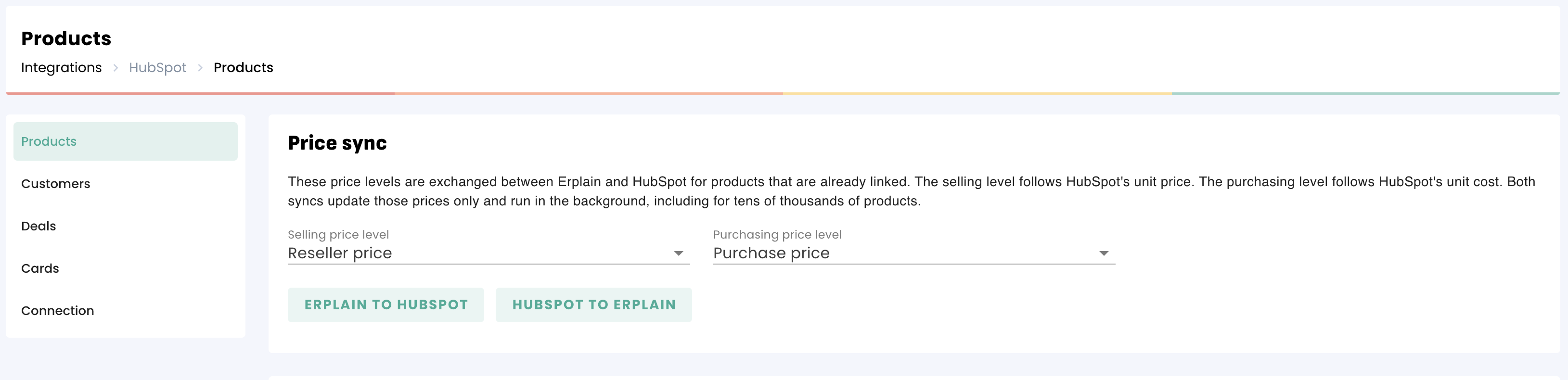
Price sync settings
Go to Integrations > HubSpot > Products:
- Selling price level: Sets the price created in Erplain that syncs between Erplain and HubSpot for linked products. This price is also sent when exporting products and is used on sales documents.
- Purchase price level: Syncs the HubSpot unit cost. It is recorded as the purchase price for this tier in Erplain, and updated in HubSpot if modified. Without this setting, the HubSpot unit cost is not captured as a purchase price.
After saving your price tiers, you can force an update for already linked products using the buttons:
- Erplain to HubSpot: Pushes the selling and purchasing prices to HubSpot.
- HubSpot to Erplain: Retrieves from HubSpot.
Information synced on product records
Erplain synchronizes the following fields: Name, Description, SKU, Price, Cost, Image, and Product type.
- A product of type Stock (inventory) in HubSpot becomes an inventory-tracked product in Erplain.
- A Service remains a service.
- A Non-inventory product is not tracked in inventory in Erplain.
- Cost price: The HubSpot unit cost serves as the initial cost when creating the product in Erplain. Afterward, Erplain calculates its own inventory cost (moving average cost / MAC), which is not written back to HubSpot.
Importing and exporting products
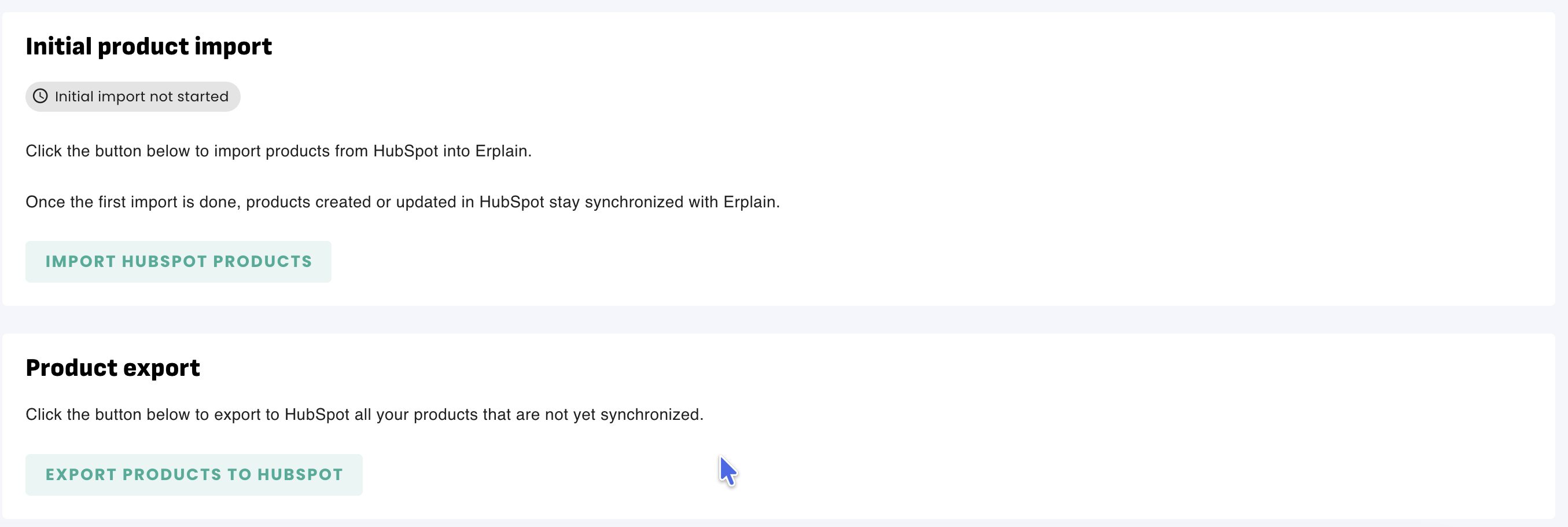
- Import HubSpot products: Creates any missing HubSpot products in Erplain. If an Erplain product already has the exact same SKU, the import links them automatically.
- Export products to HubSpot: Sends Erplain products that do not yet exist in HubSpot.
Manual actions from an Erplain product page
On each product page in Erplain, specific actions are available:
- Sync with HubSpot / Sync product and variants: Pushes the product or all of its variants.
- Sync this variant: Sends only the displayed variant.
- Delete from HubSpot / Delete all from HubSpot: Removes the item from HubSpot and unlinks it. The product is kept in Erplain.
Taxes for new products
In settings, you can define whether products created in Erplain from HubSpot are marked as taxable by default and assign them a specific tax code.
Note: If a product is deleted in HubSpot, the product remains in Erplain: only the sync link is deactivated.
Was this article helpful?
That’s Great!
Thank you for your feedback
Sorry! We couldn't be helpful
Thank you for your feedback
Feedback sent
We appreciate your effort and will try to fix the article