Erplain has thoroughly redesigned its assembly transformation system, which has now become an advanced manufacturing module.
For users accustomed to working with simple assembly transformations, here is how to create a method similar to the system you are familiar with:
Component sets are now called Bills of Materials, and can be created directly from the product record. A single product can have multiple bills of materials, with several combinations of components leading to the same final product.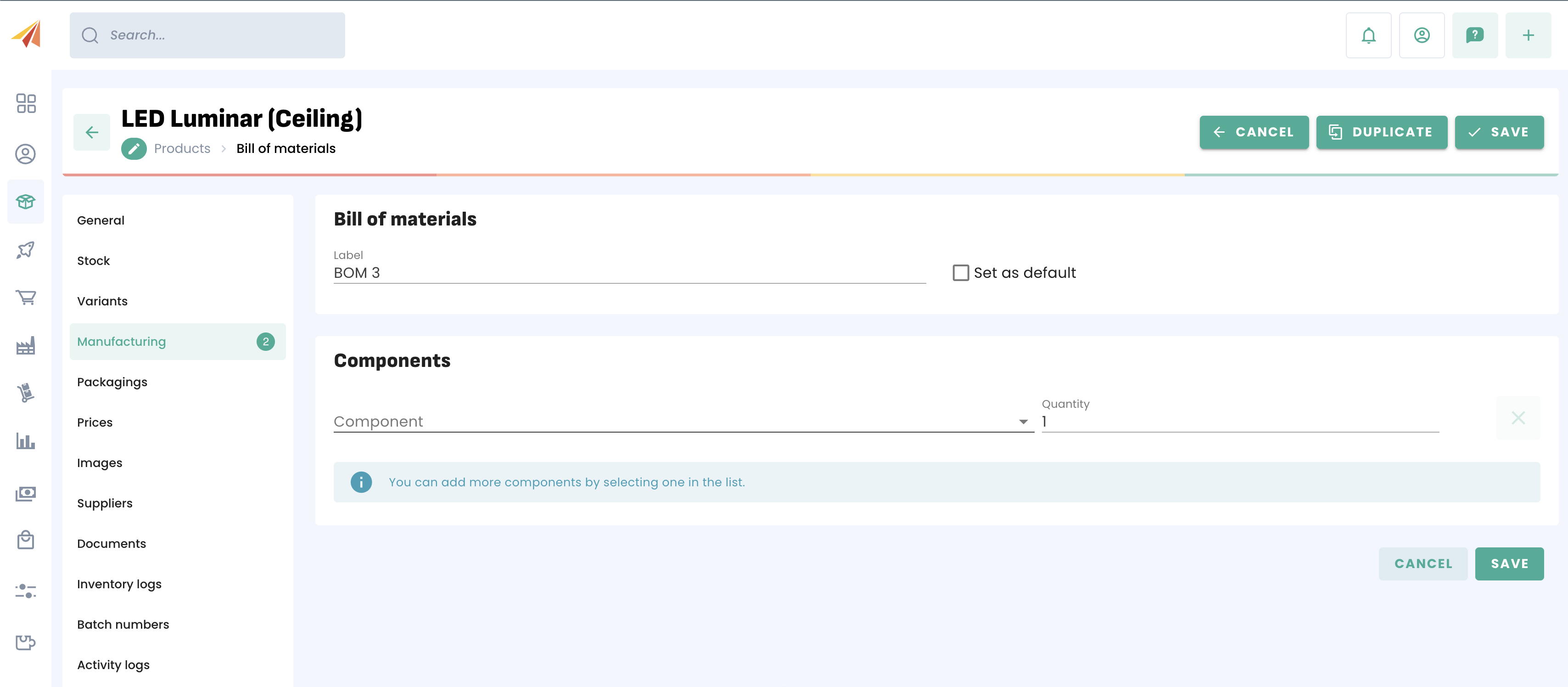
The production process is now called a Routing. It is the process that replaces the assembly transformation menu.
Routings contain pre- and post-production steps by default, but these can be removed for the sake of simplicity.
You can go to the Routings submenu in the Manufacturing menu, create a routing, and remove the optional steps to keep only the production step, which is essentially the transformation of components into your assembled product.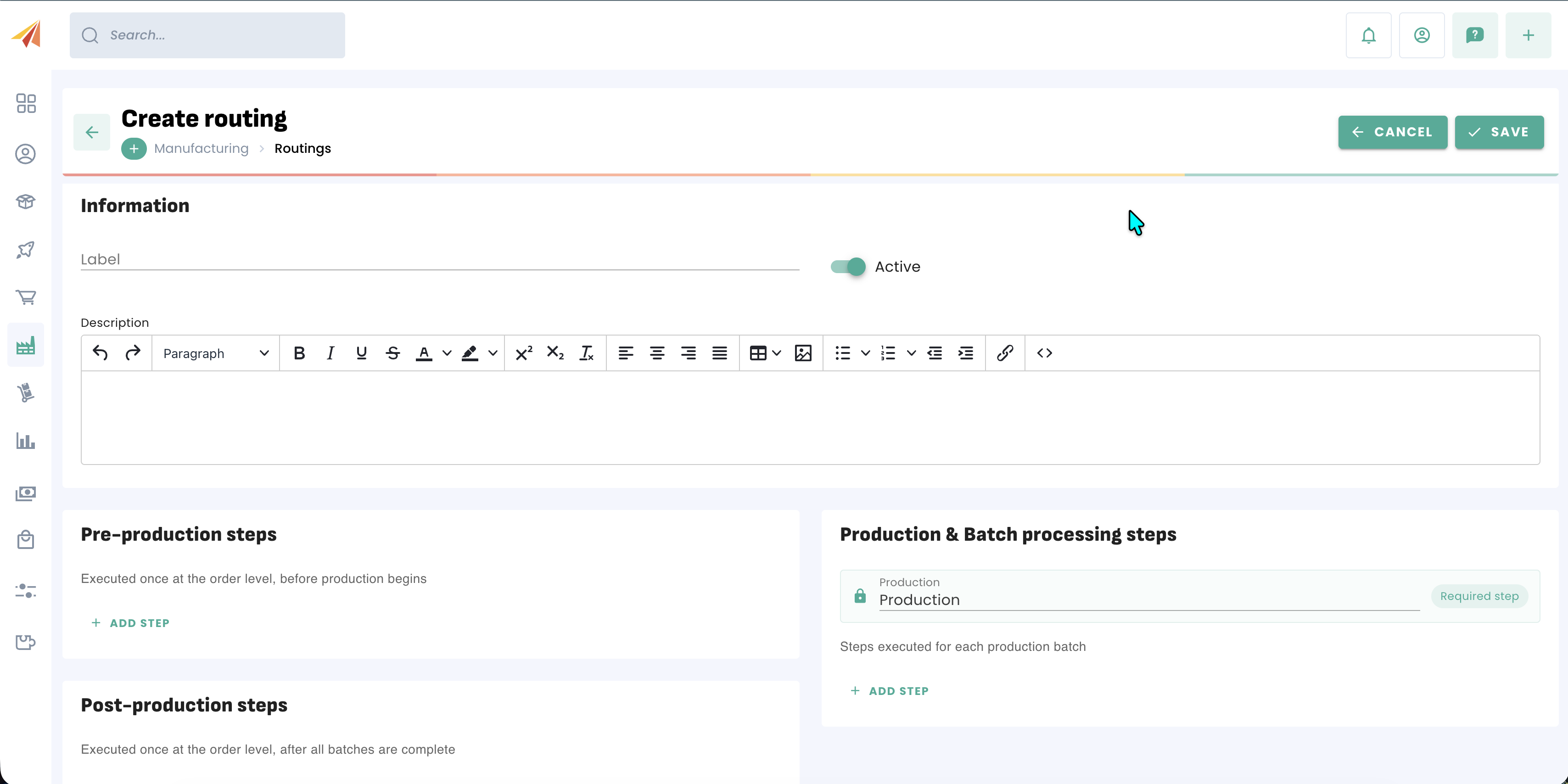
The Bill of Materials defines the components, the Routing defines the process, but it is the Manufacturing Order that actually drives the transformation of components. To do this, you will need to create a manufacturing order and select your Bill of Materials and your Routing.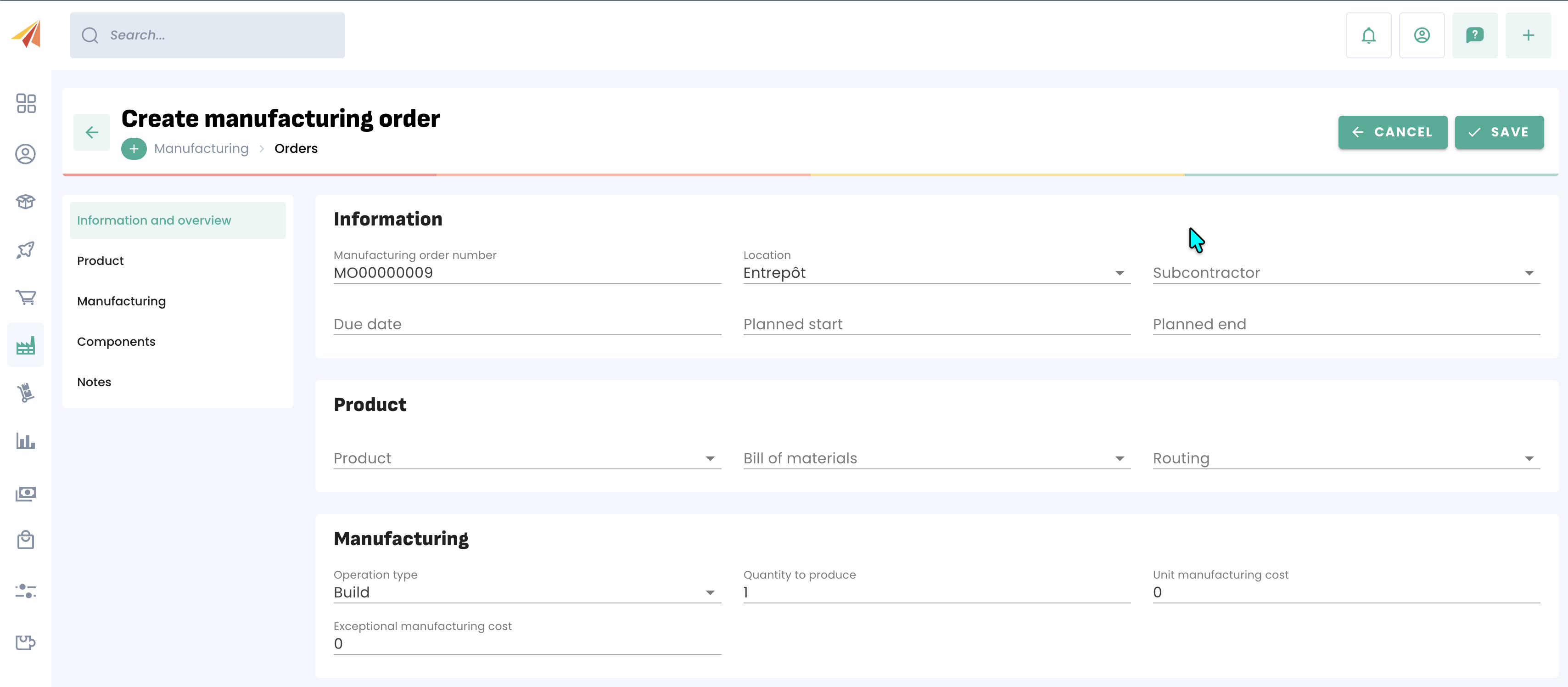
Once your order is launched, there will be only one step, since we have set up the simplest possible Routing beforehand, all that is needed is to produce one or more batches of the final product.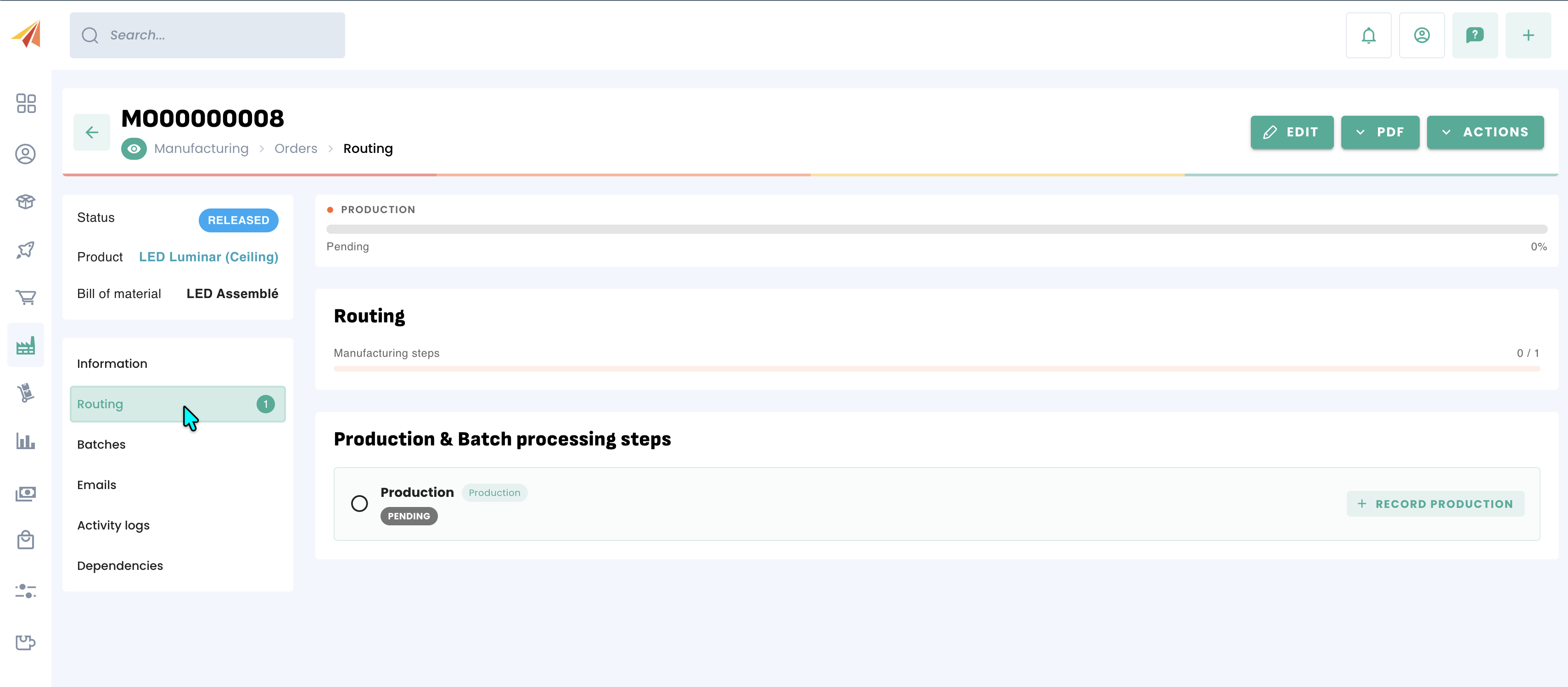
For more advanced use of the manufacturing system, you can refer to the Manufacturing section of our help center.
Was this article helpful?
That’s Great!
Thank you for your feedback
Sorry! We couldn't be helpful
Thank you for your feedback
Feedback sent
We appreciate your effort and will try to fix the article