Bills of materials are assembled products. They represent a set of components that are used and transformed to obtain a final product.
A bill of materials is therefore a recipe used to obtain a final product, the latter being obtained at the conclusion of a manufacturing order.
Creating an assembled product
To create a product with a bill of materials, you can create a new product and select "Assembly" in the creation form. This type can also be selected on an existing product in the same way.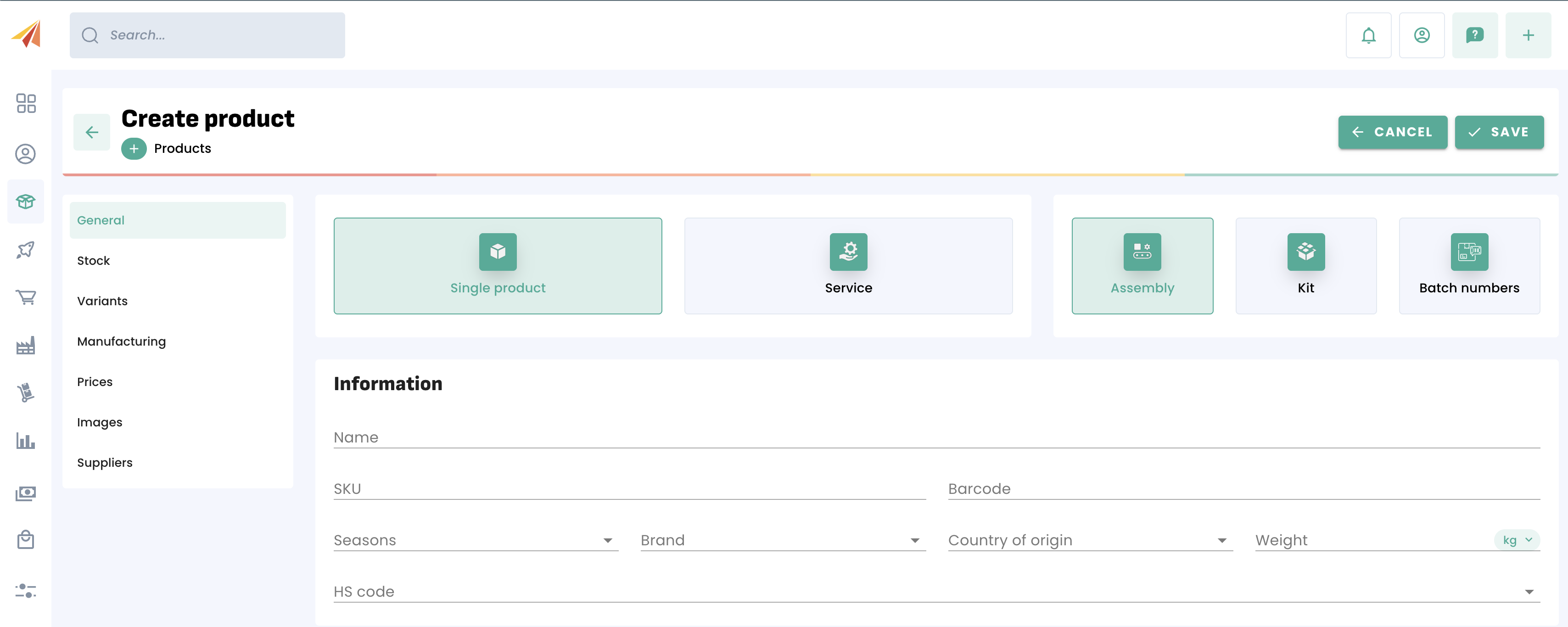
Creating a bill of materials
Once the product has been created or converted, you have access to the Manufacturing menu, which allows you to create your bills of materials.
The routing corresponds to the manufacturing process that has been set up. You can also define a unit manufacturing cost at this stage.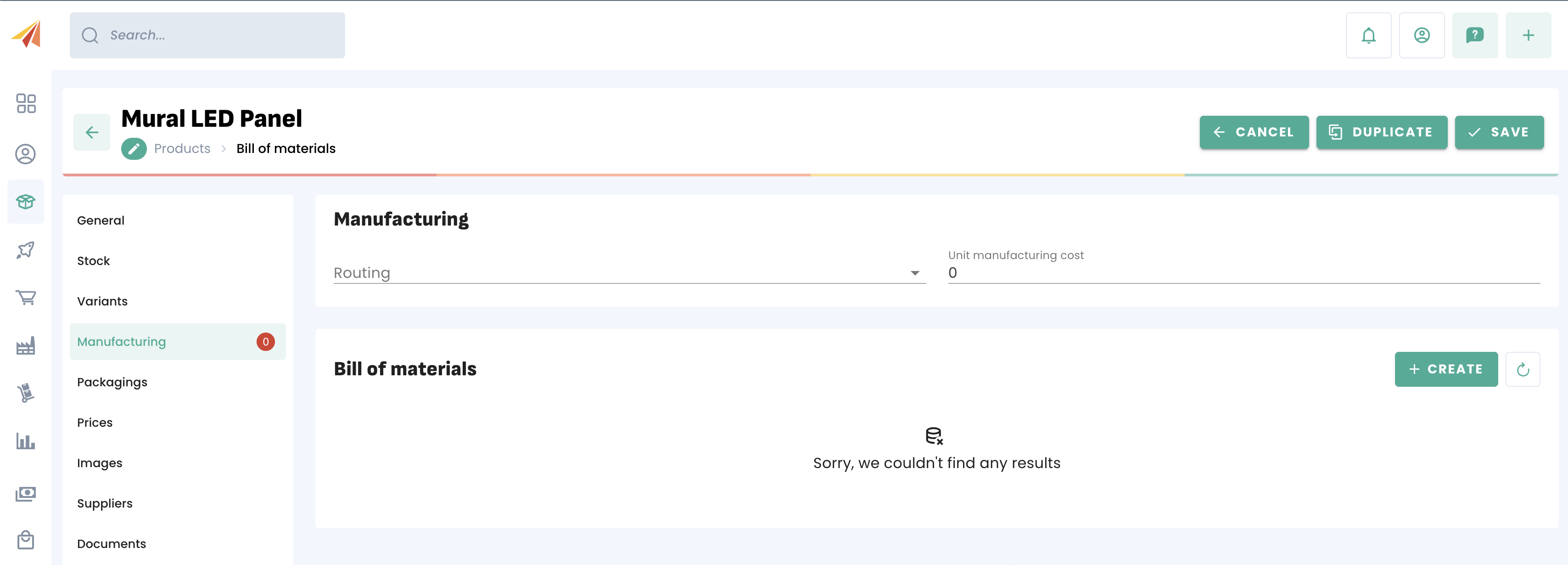
You then need to add the components of the bill of materials. If you use multiple bills of materials, you can also designate a default one. Once the components and their quantities have been added, you can save your bill of materials.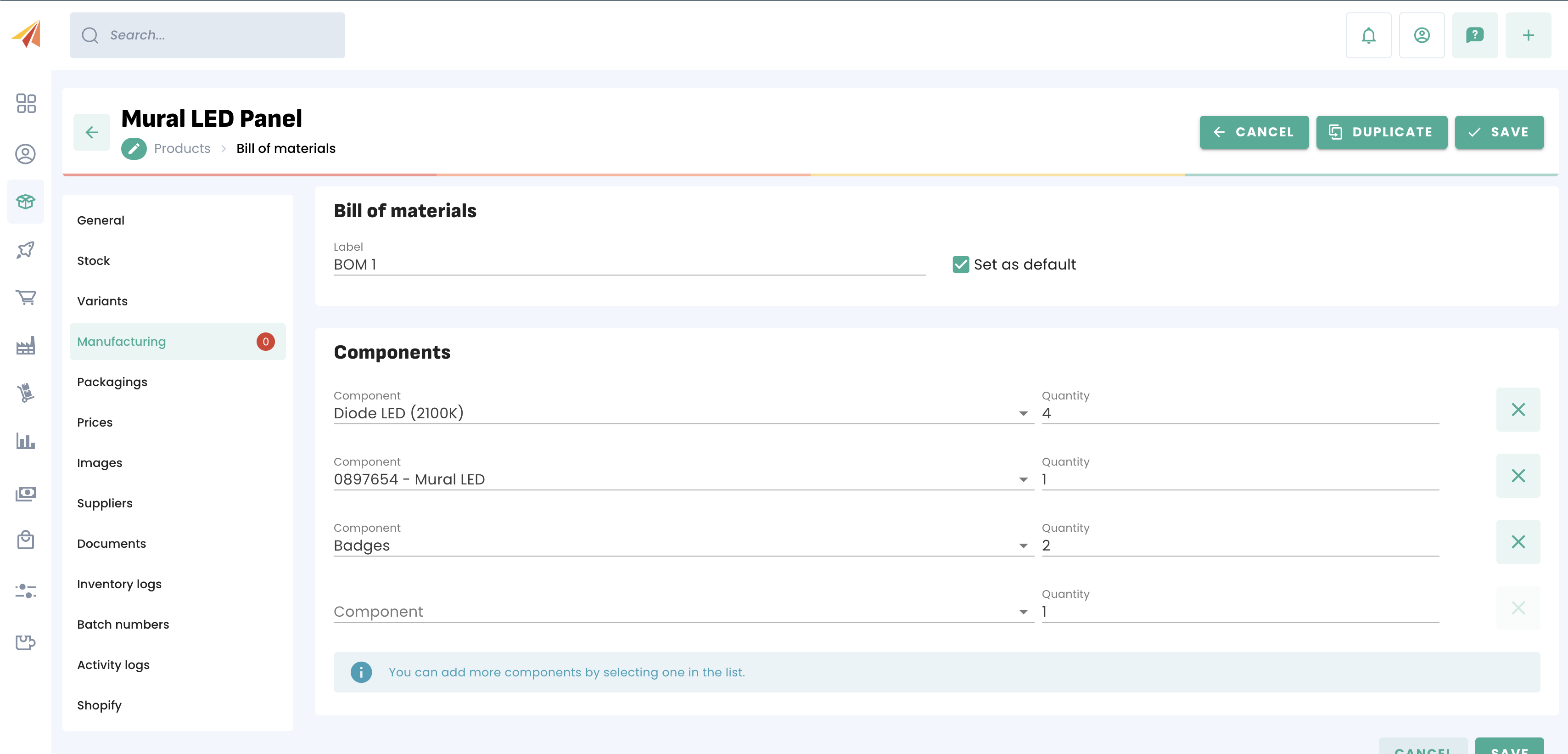
A product can have multiple bills of materials, meaning that several combinations of components can lead to the same final product.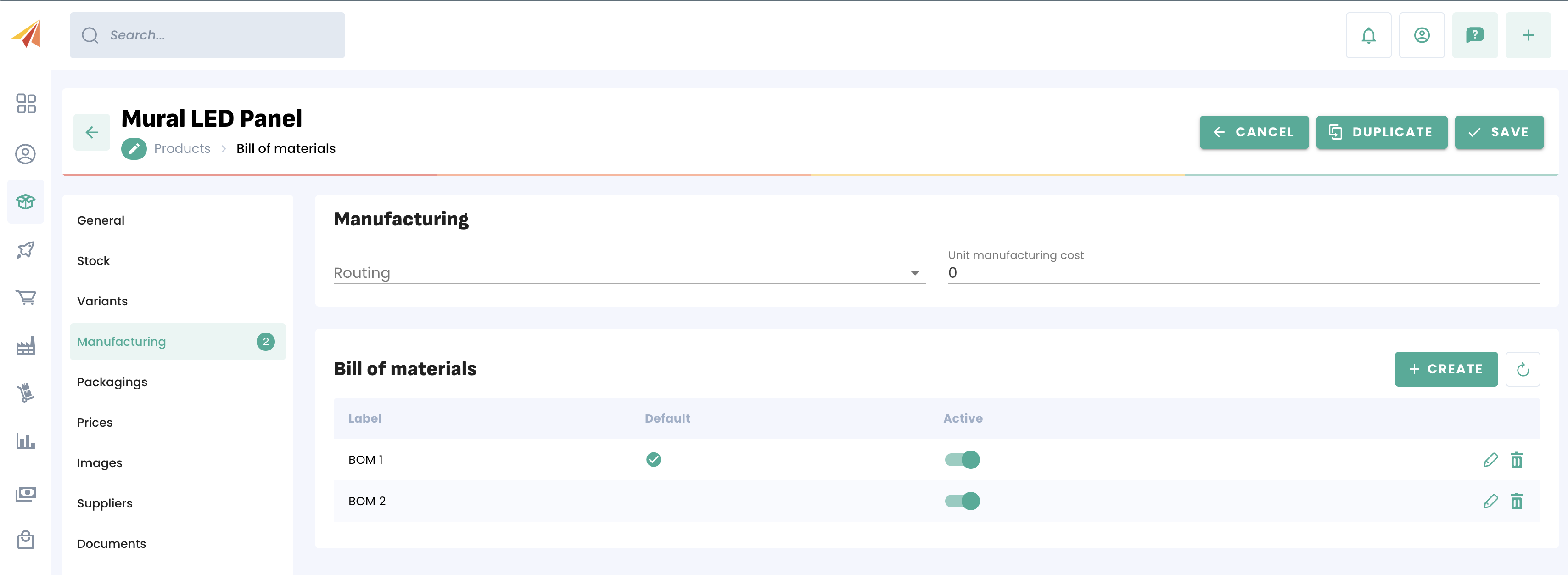
Using a bill of materials
To use a bill of materials, you will first need to create a manufacturing order, which will initiate the production process for that final product, and will ultimately deduct the components from stock while adding to the inventory of the assembled product.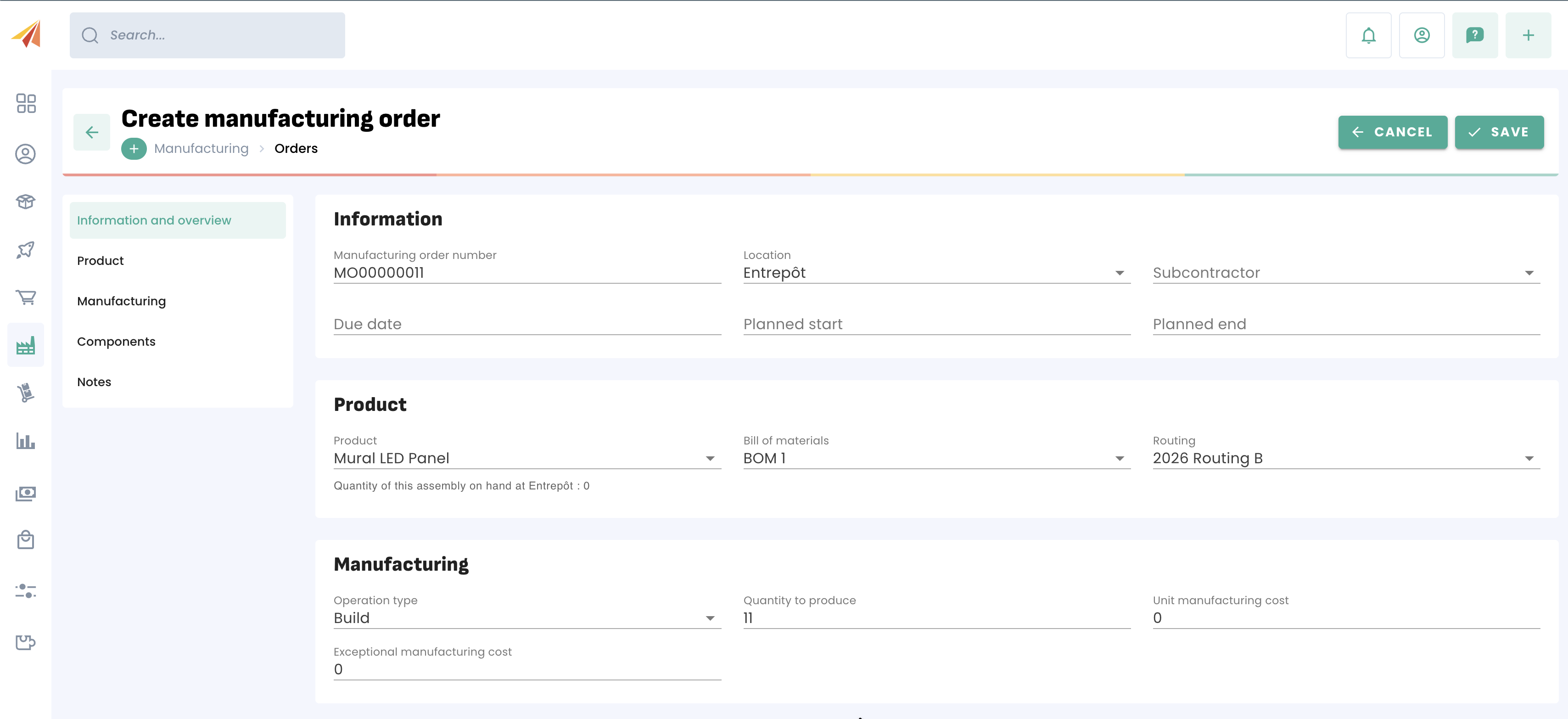
Prerequisite: To create a manufacturing order, remember to first create a routing, which is the chosen production process, with its various steps.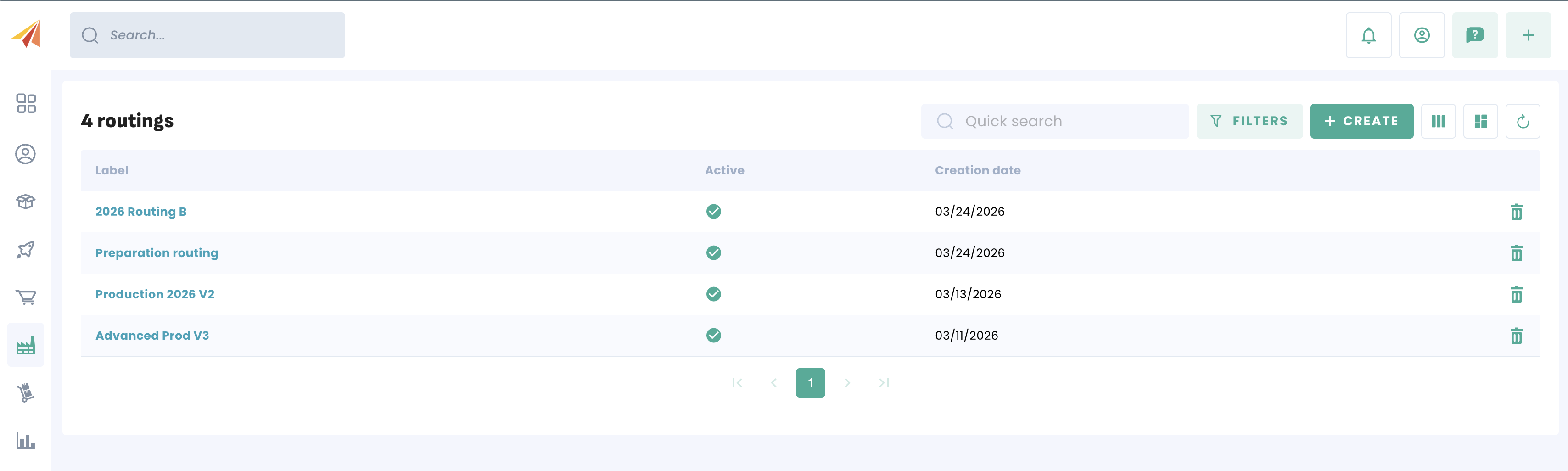
For more information on managing manufacturing orders, please refer to our dedicated article.
Once the quantities have been produced, your bill of materials behaves like any other product in your inventory. You can use it in your sales cycle and track its stock levels or valuation over time.
Was this article helpful?
That’s Great!
Thank you for your feedback
Sorry! We couldn't be helpful
Thank you for your feedback
Feedback sent
We appreciate your effort and will try to fix the article