Routings correspond to your production cycles.
They represent the different steps set up to produce units of your assembled products and add them to your inventory.
You can find your existing routings and create new ones from the Routings submenu in the Manufacturing menu.
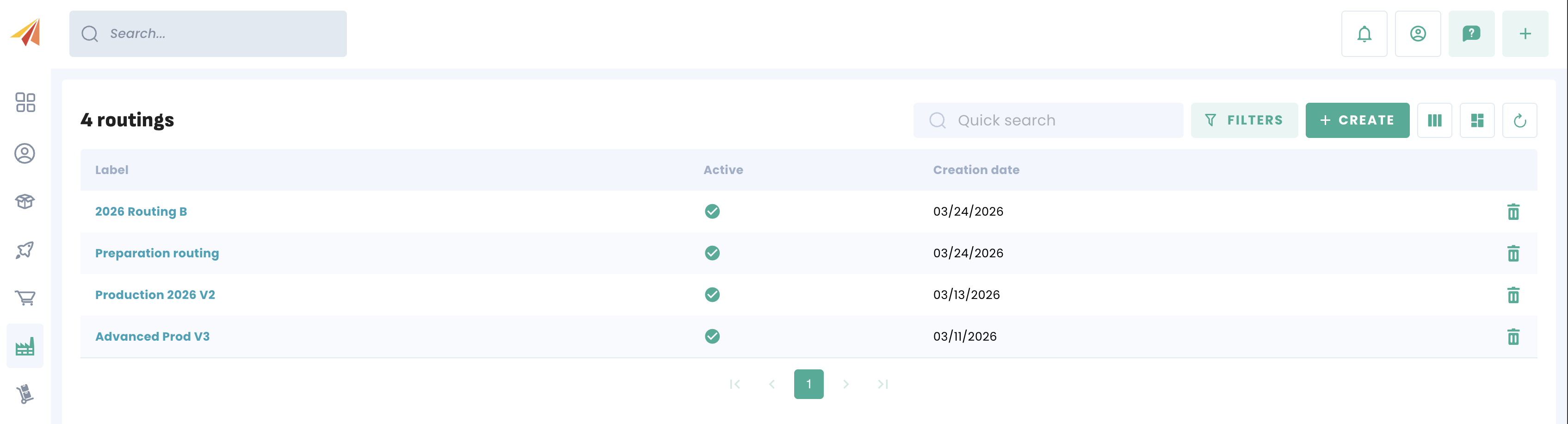
Creating a routing
To create a new routing, simply click the create button. You will then have access to the creation form. 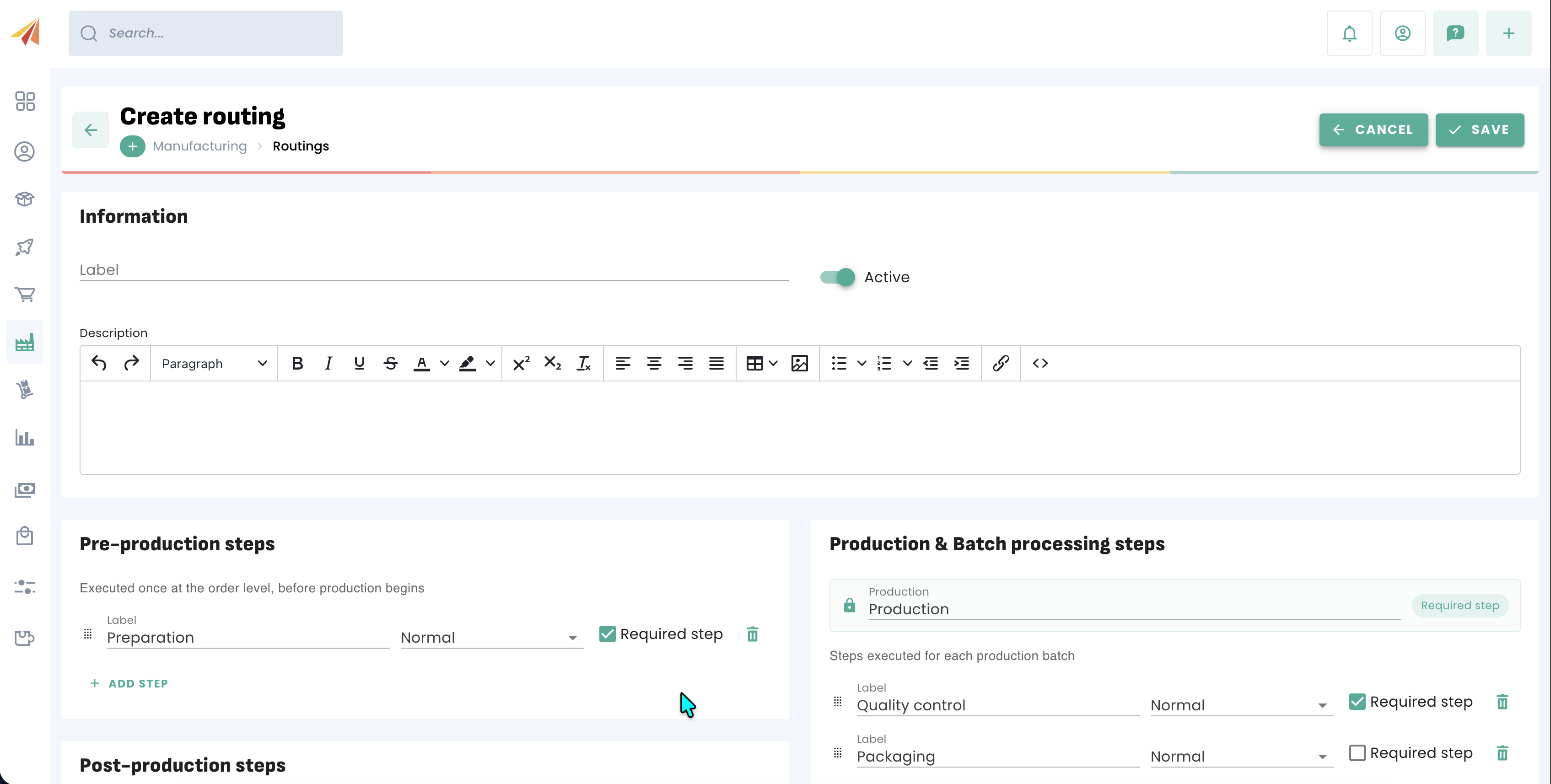
You can name and give a description of your choice to this routing, and you can also determine whether this routing is active or inactive if you don't need it in the short term.
Routing stages
A routing is divided into 3 different stages: Pre-production, production and post-production. Each of these stages can contain several intermediate steps depending on your needs.
The only mandatory stage is production; all other stages can be deleted or made optional if needed. An optional step can be skipped during the production process by users.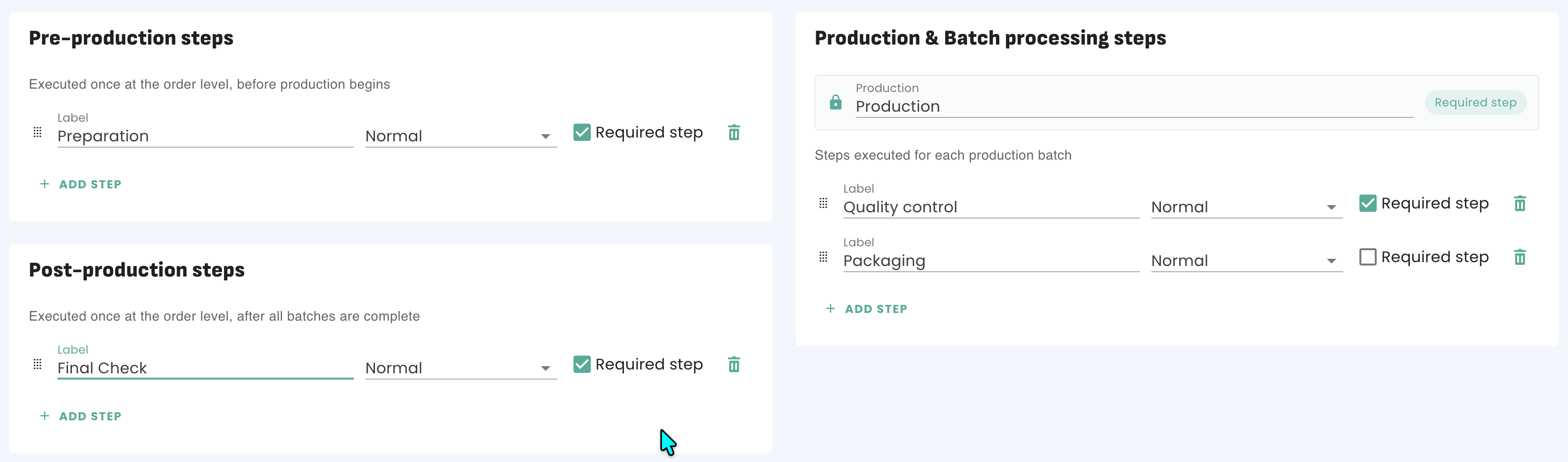
The pre- and post-production stages only occur once for the entirety of the manufacturing order.
However, if a manufacturing order is produced in multiple runs, the production steps will be executed for each batch produced.
Standard / Send or receive
Erplain also allows you to manage the subcontracting of production steps. To do this, you have the option for each step to determine whether you keep the components and carry out the step yourself, or whether a subcontractor is in charge of it.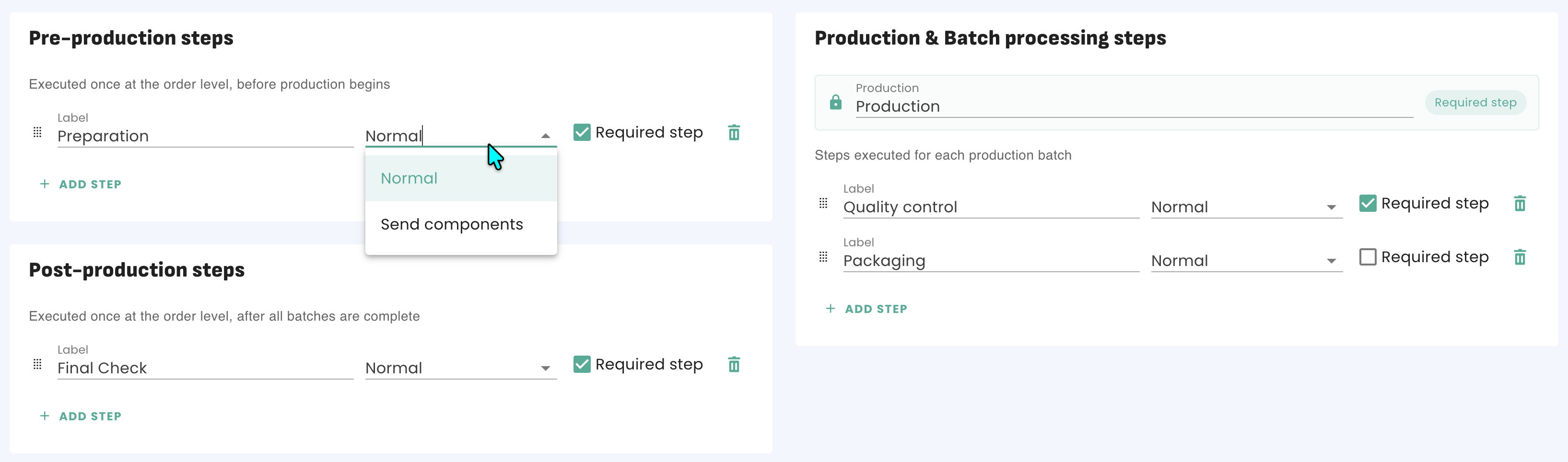
For pre- and post-production steps, the option is called "Send components", which allows you to send the components to a subcontractor who then handles the steps assigned to them.
Subcontractors are selected when creating the manufacturing order. If the components are sent, the inventory levels are adjusted accordingly so that stock at the subcontractor's can also be tracked.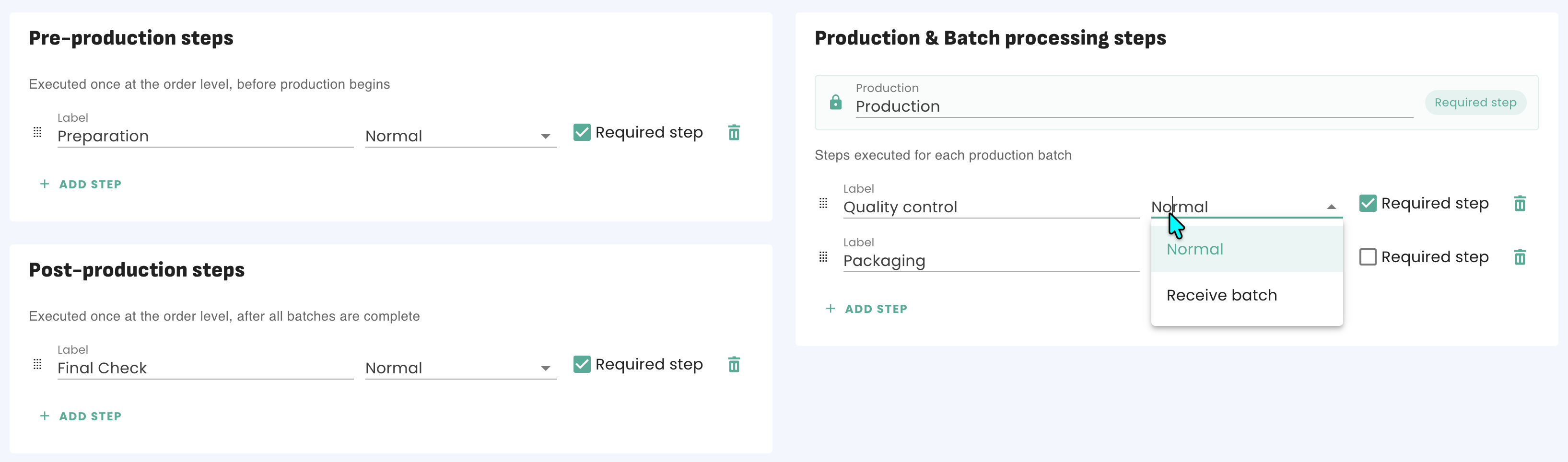
For production steps, the option is called "Receive batch."
Saving and using a routing
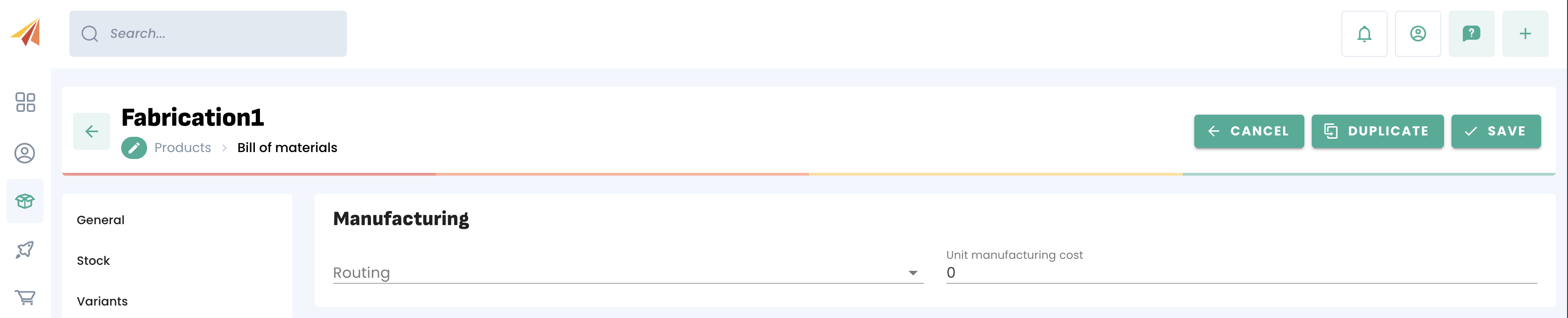
Once the different steps have been validated, you can save your routing. You can then select the routing used when creating a manufacturing order, and also assign a default routing to a product directly from its product page.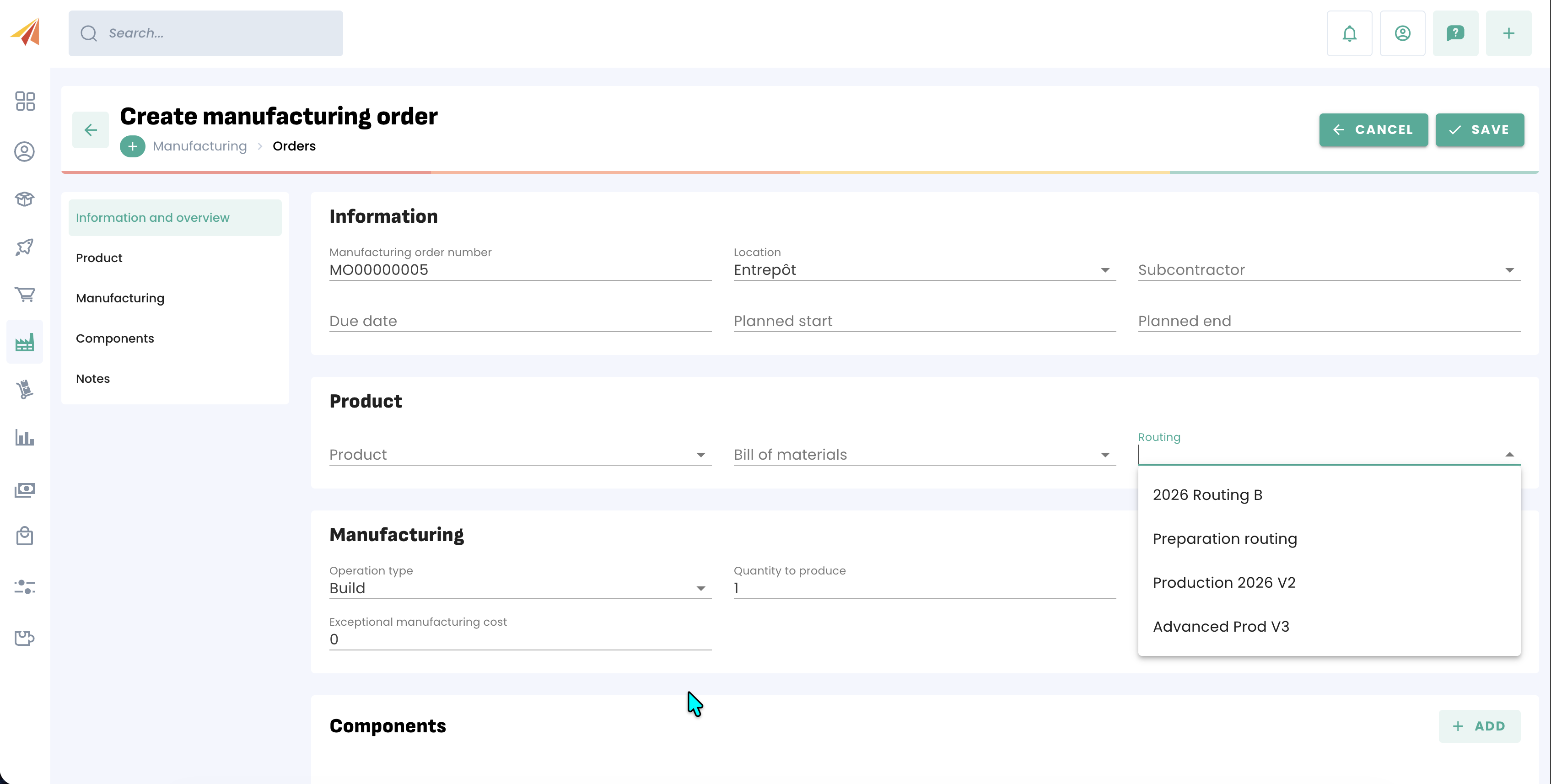
Was this article helpful?
That’s Great!
Thank you for your feedback
Sorry! We couldn't be helpful
Thank you for your feedback
Feedback sent
We appreciate your effort and will try to fix the article