Creating Sales Orders give you the ability to reserve inventory, giving you and your team a better visibility of your stock level and what is really available for sale. Unfortunately, creating Sales Orders is not possible in QuickBooks Online. The good news is that you can do it when you connect your QuickBooks Online account with Erplain, along with many additional inventory features.
How do stock levels work in QuickBooks Online?
Only estimates and invoices can be created in QuickBooks Online. As estimates don't affect your stock level, your inventory is updated only when the invoice is generated. Therefore, making it difficult to know what is really available for sale.
How to reserve inventory with QuickBooks Online?
Creating Sales orders on Erplain will reserve your inventory and allocate products to customers. For each product, erplain tracks the on-hand stock and the available stock. Sales Orders won't change your on-hand stock, but they will decrease your available stock. It will also increase the reserved quantity.
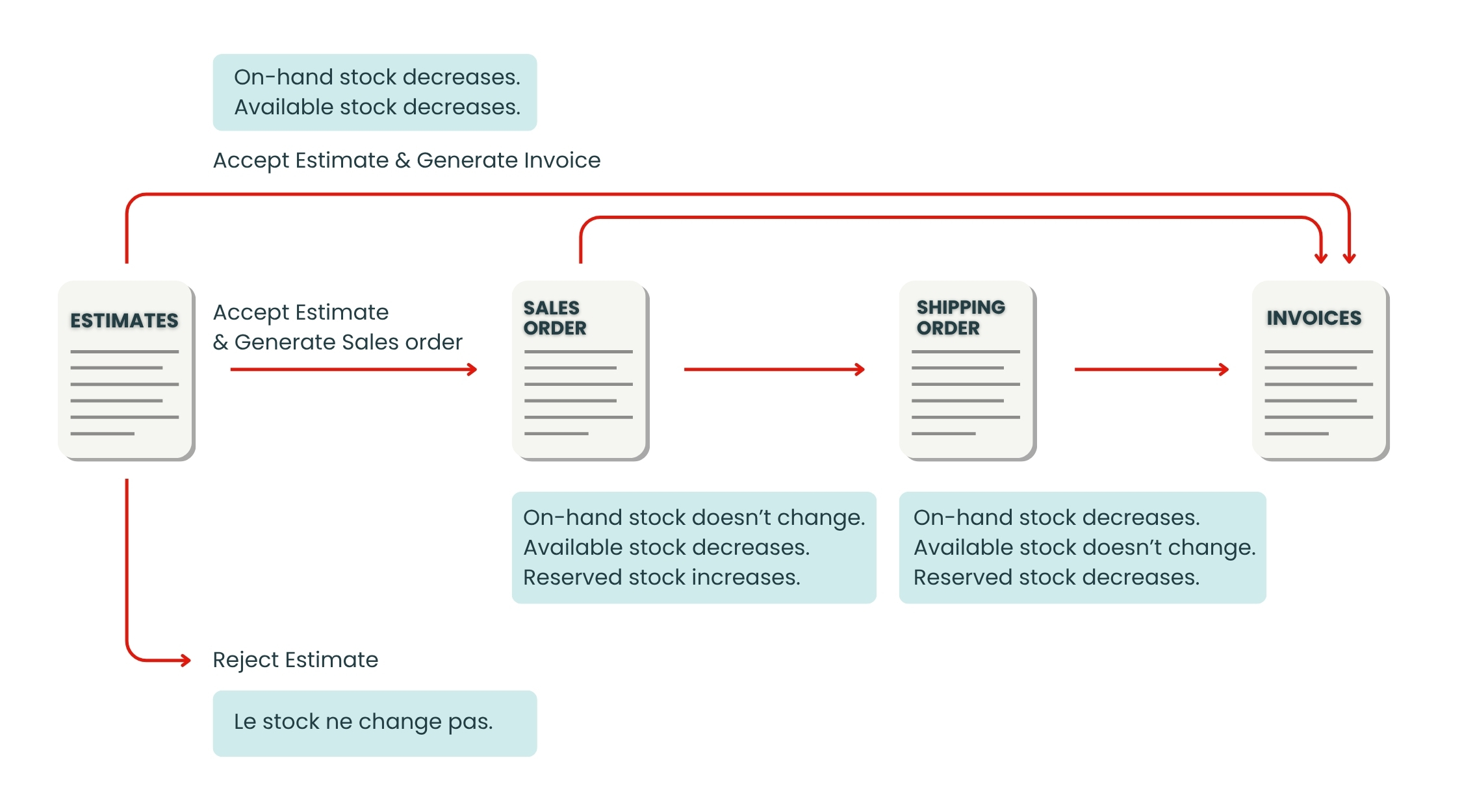
You can start the sales workflow by creating your estimate as you would do on QuickBooks and then generate a Sales Orders when it is accepted. You can also start directly from Sales Orders, creating an estimate is optional.
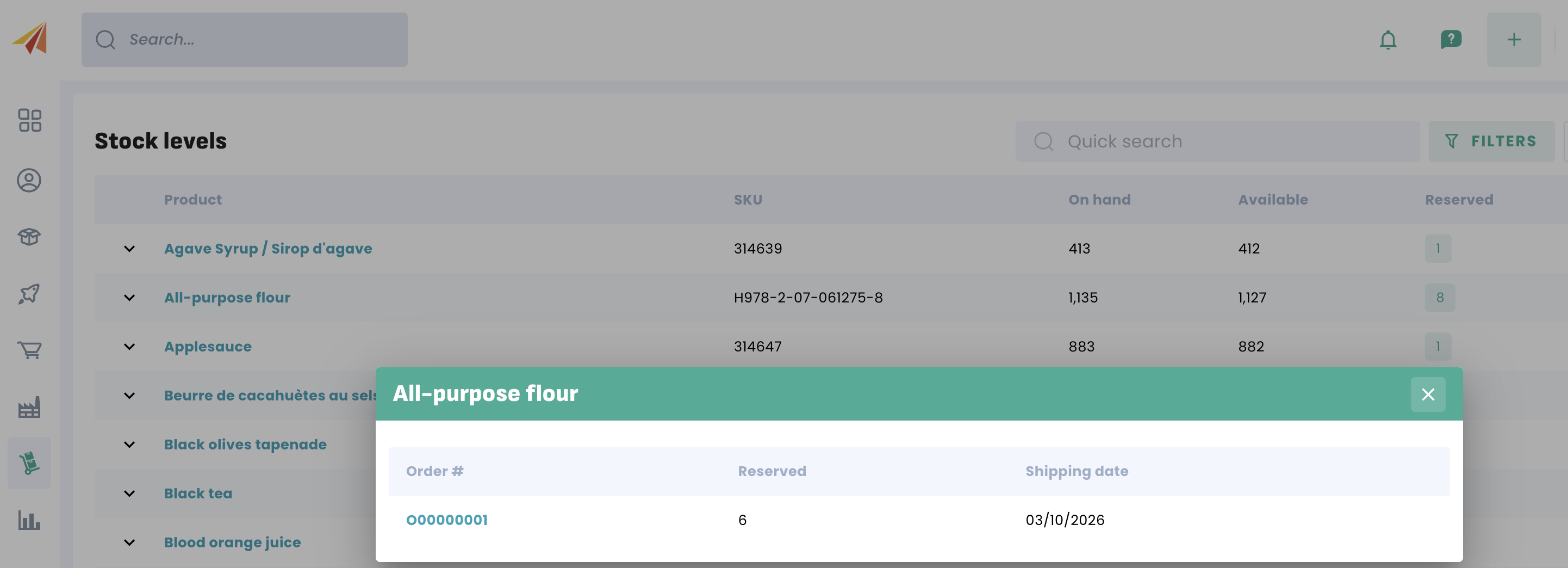
Tips:
- You can click on the Reserved quantity to display the related sales orders.
- You can also find all reserved products in the Intelligence menu.
Was this article helpful?
That’s Great!
Thank you for your feedback
Sorry! We couldn't be helpful
Thank you for your feedback
Feedback sent
We appreciate your effort and will try to fix the article