Once your Erplain account is connected to QuickBooks, it is possible to create your new products in QuickBooks or in Erplain.
Creating new products in QuickBooks
If you create new products in QuickBooks, they will be created automatically in Erplain. This option can be disabled, if desired. You can also to choose whether or not product descriptions are synchronized.
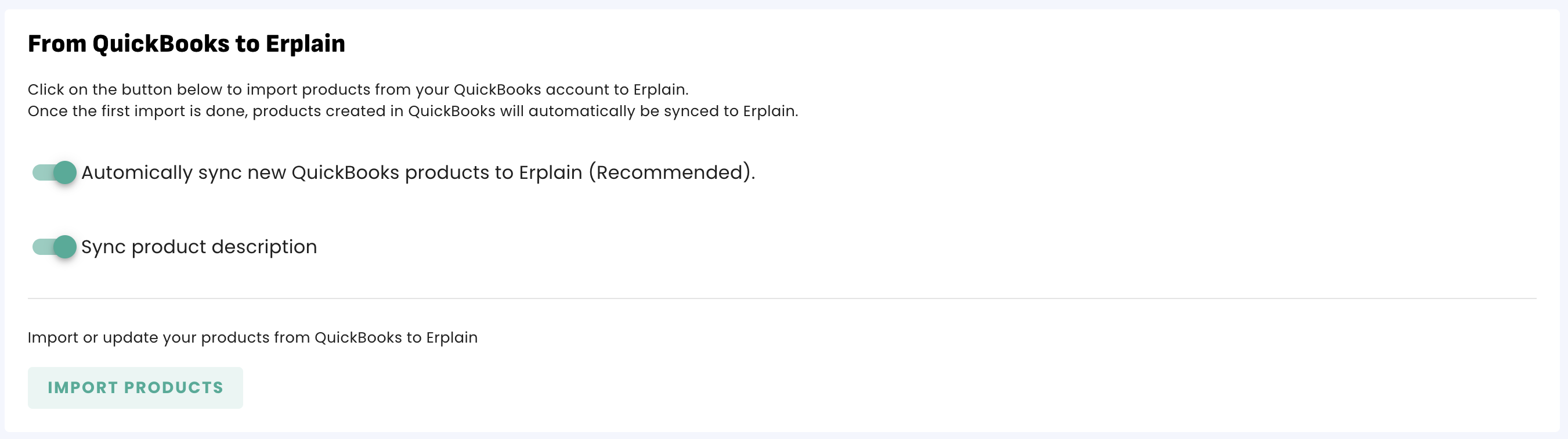
Once the product is created, you can edit it in Erplain or in QuickBooks.
Creating new products in Erplain
If you create new products in Erplain, they are not automatically created in QuickBooks. However, they will be created when sending an invoice or a purchase order to QuickBooks containing these products.
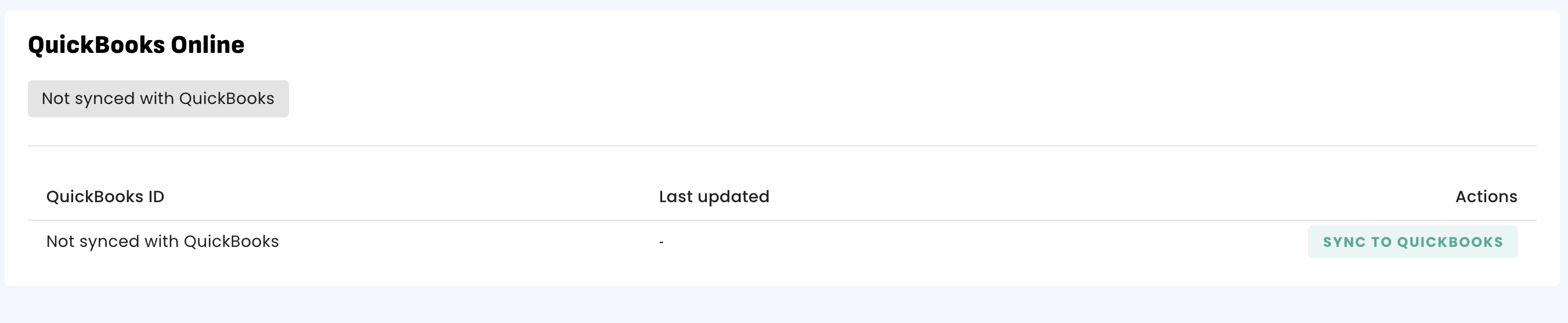
It is also possible to send each product manually by opening the product profile and clicking on 'Sync to QuickBooks' in the QuickBooks Online section:
QuickBooks Ledger accounts
If you create a product in QuickBooks, the product will be associated with the selected accounts in QuickBooks.
If you create a product in Erplain and send it to QuickBooks, it will be associated with the default accounts selected in the integration settings.
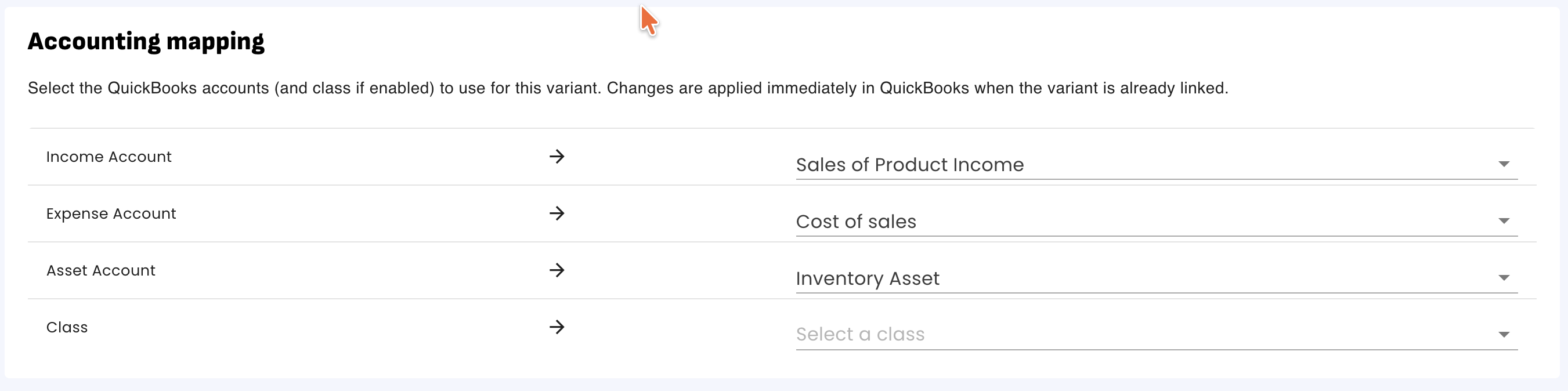
You can update the accounts associated with your products in Erplain or in QuickBooks.
To change the accounts associated with your products in Erplain, go to the product profile and click on the QuickBooks Online section.
Was this article helpful?
That’s Great!
Thank you for your feedback
Sorry! We couldn't be helpful
Thank you for your feedback
Feedback sent
We appreciate your effort and will try to fix the article