Erplain allows you to entrust part of the manufacturing process to a subcontractor.
For more information on the overall management of manufacturing orders: Manufacturing orders
Delegating part of the production to a subcontractor involves sending them the goods used to create an assembled product so that they can handle one or more steps of the process.
Prerequisite: To successfully complete a manufacturing order with subcontracting, the routing must contain a step for sending the components to the subcontractor as well as a step for receiving the goods back.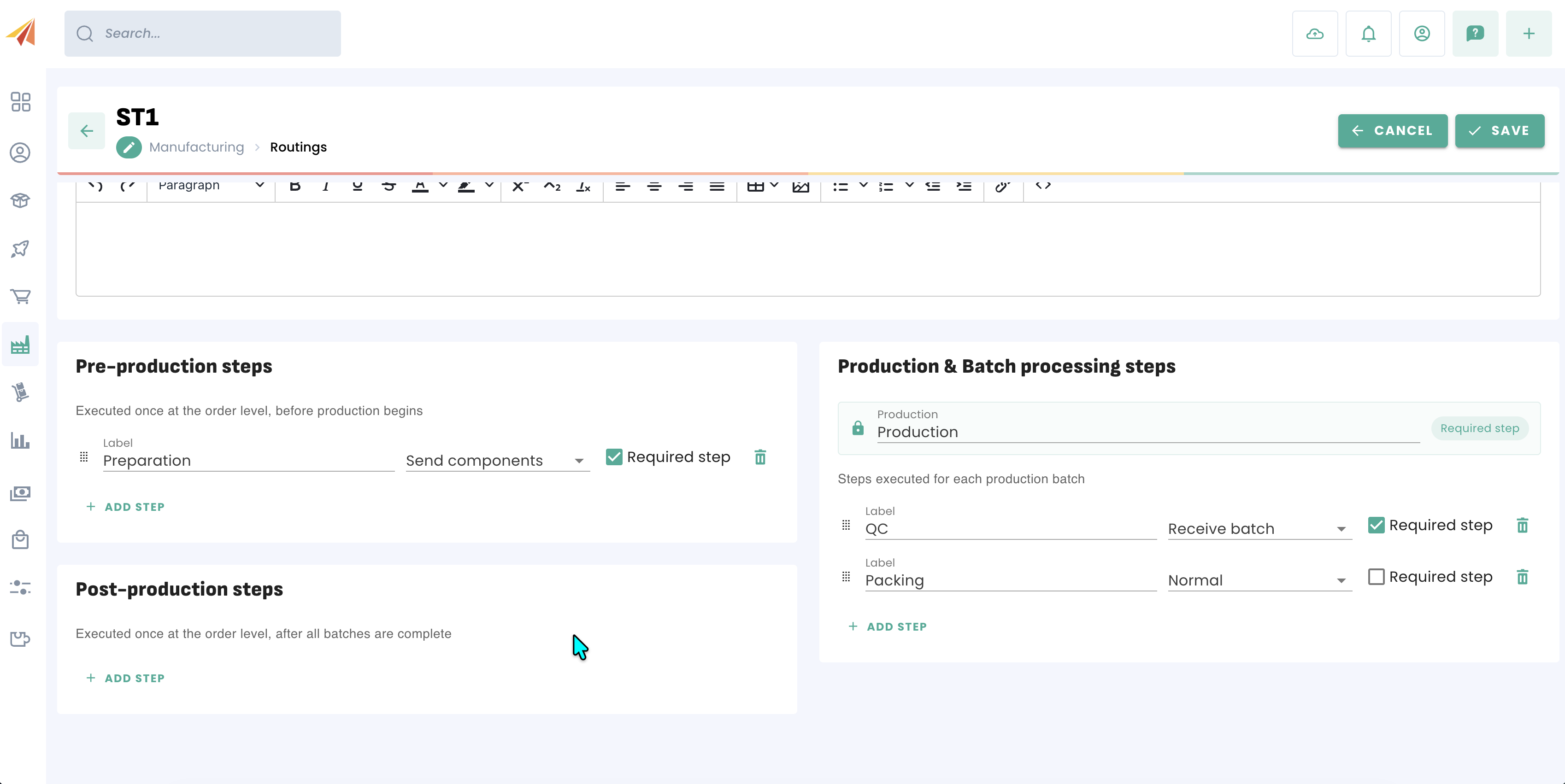
Once the routing is in place, a manufacturing order can be launched. The subcontractor is selected from the list of suppliers in the form. The routing containing the required steps must also be selected.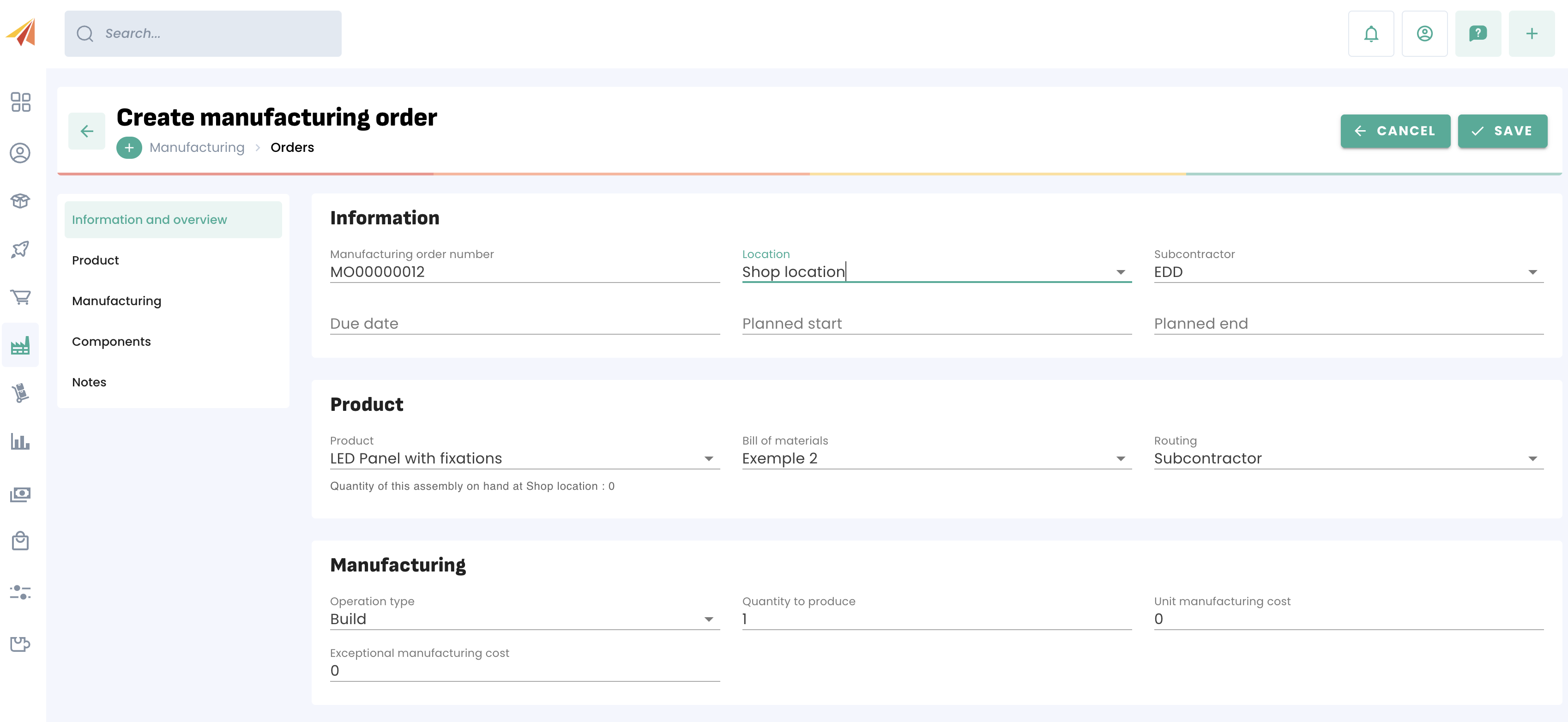
Once the order is launched, the steps linked to the subcontractor will trigger a stock transfer to a storage location named after the subcontractor. The stock sent will therefore be displayed in that location in your stock levels until it is returned.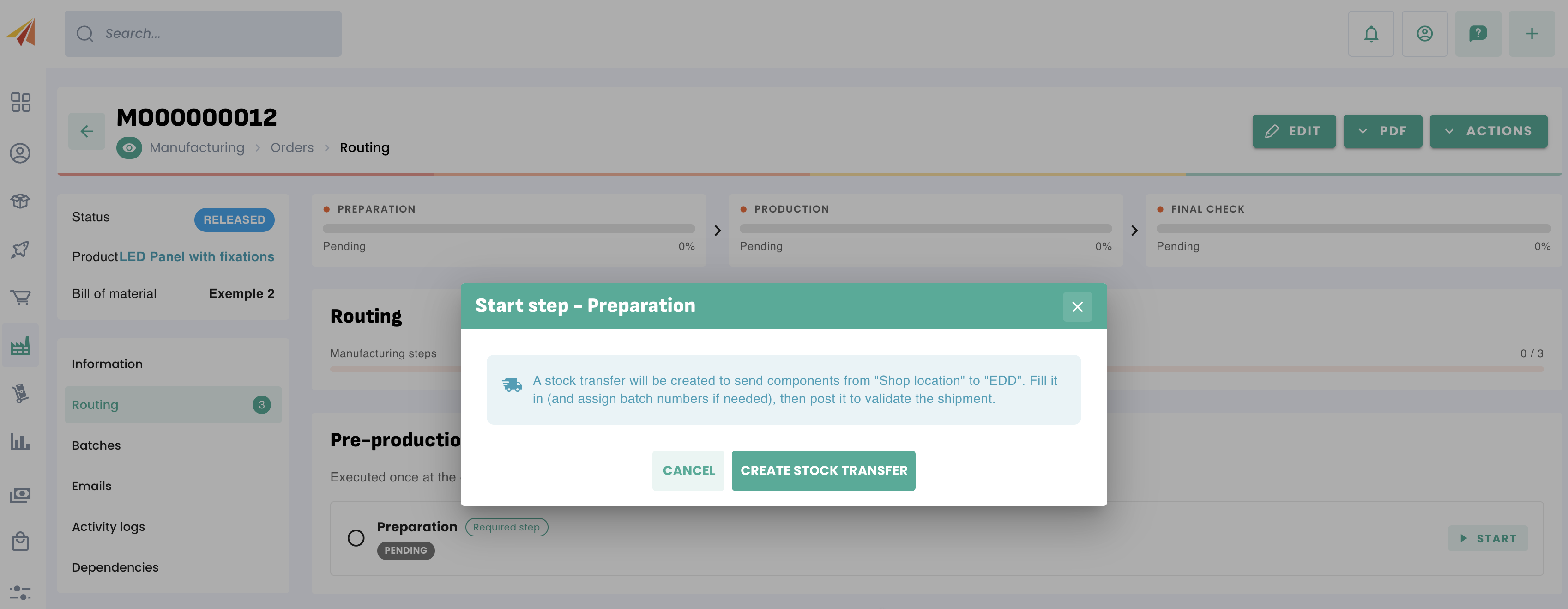
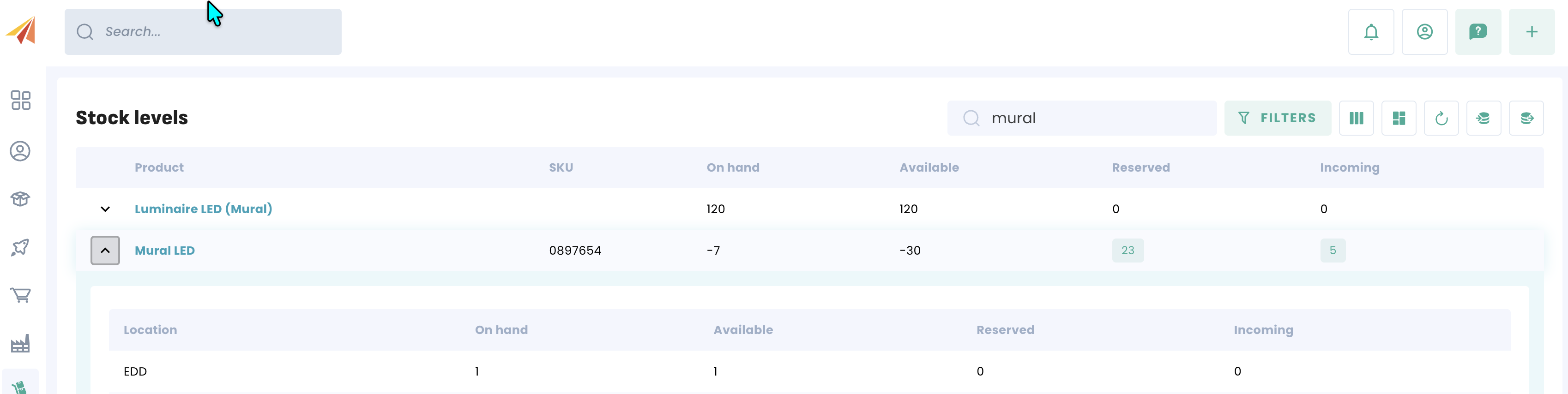
The process can only be resumed once the stock transfer has been finalized. Once the transfer is complete, it is possible to continue production even remotely.
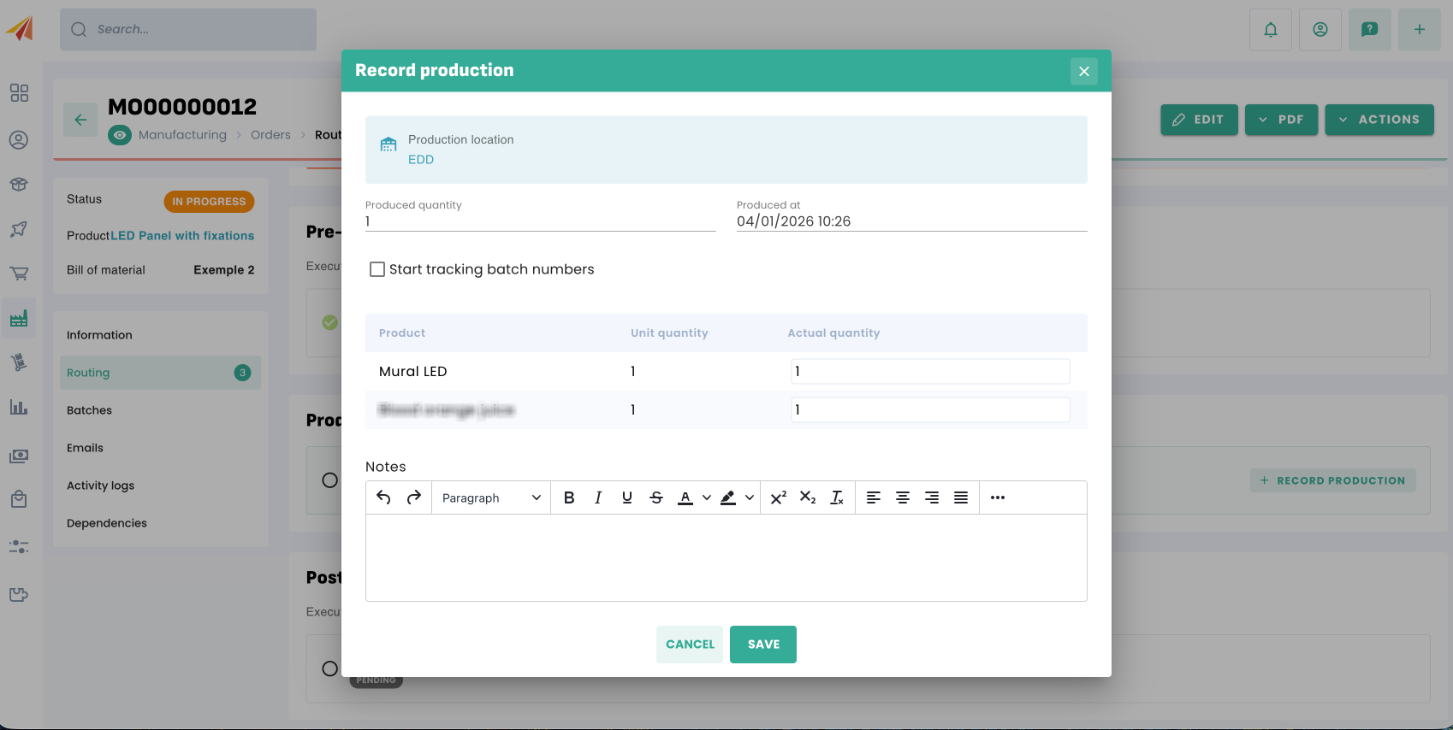
Once the quantities have been produced, a stock transfer in the opposite direction is created in order to retrieve the produced quantities.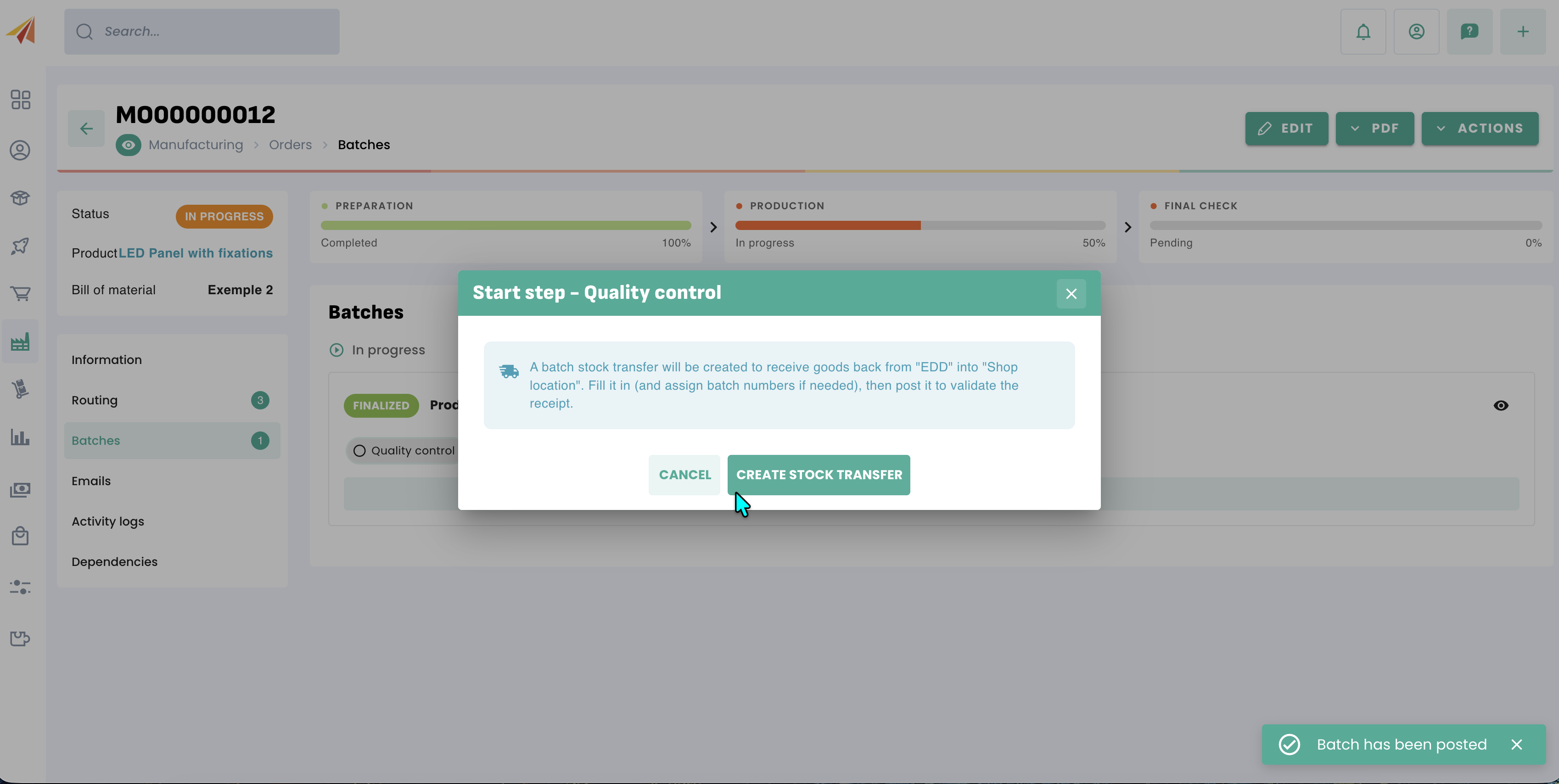
Once the stock has been retrieved, all that remains is to complete any remaining steps and then close the manufacturing order.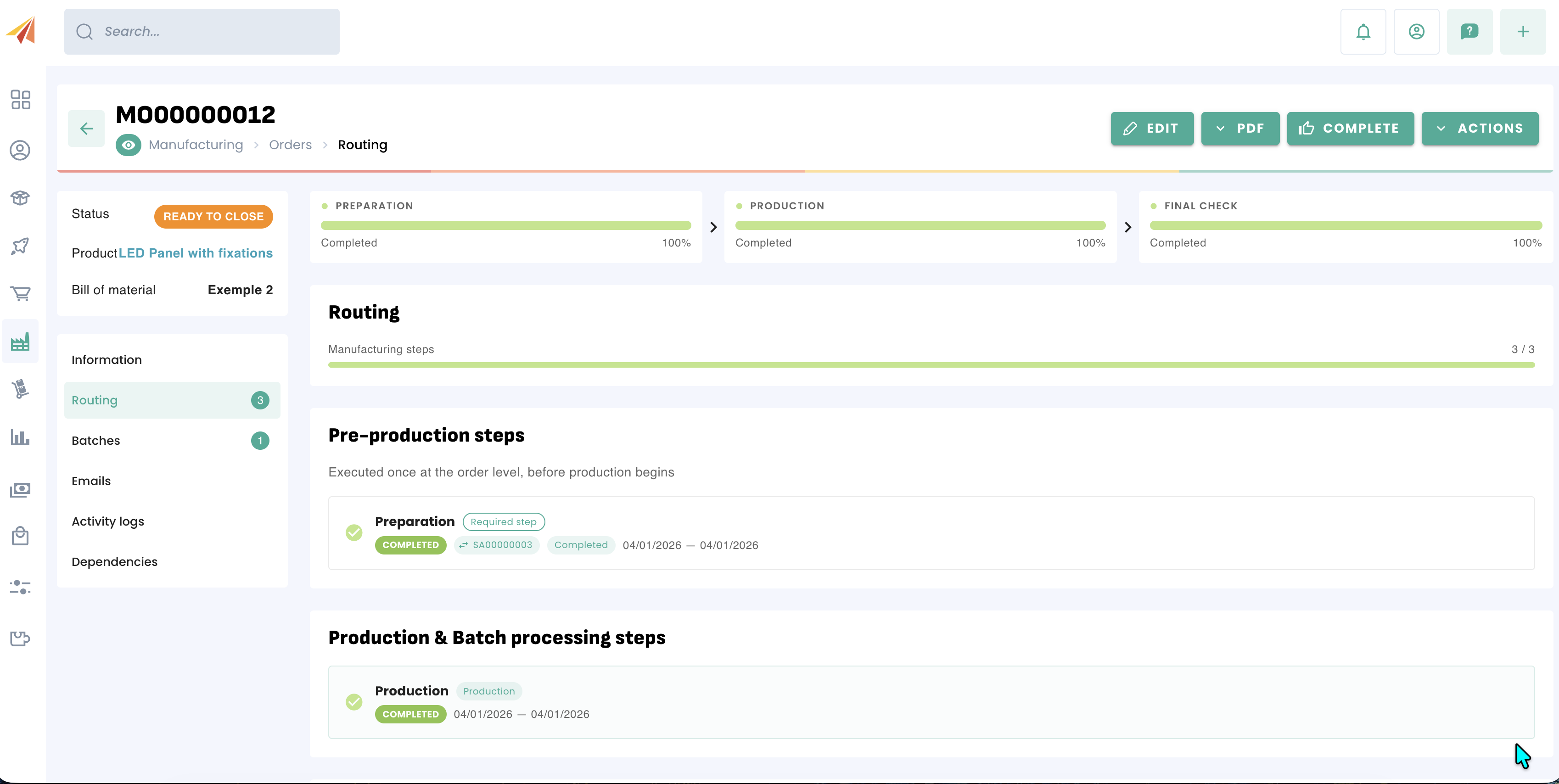
Was this article helpful?
That’s Great!
Thank you for your feedback
Sorry! We couldn't be helpful
Thank you for your feedback
Feedback sent
We appreciate your effort and will try to fix the article