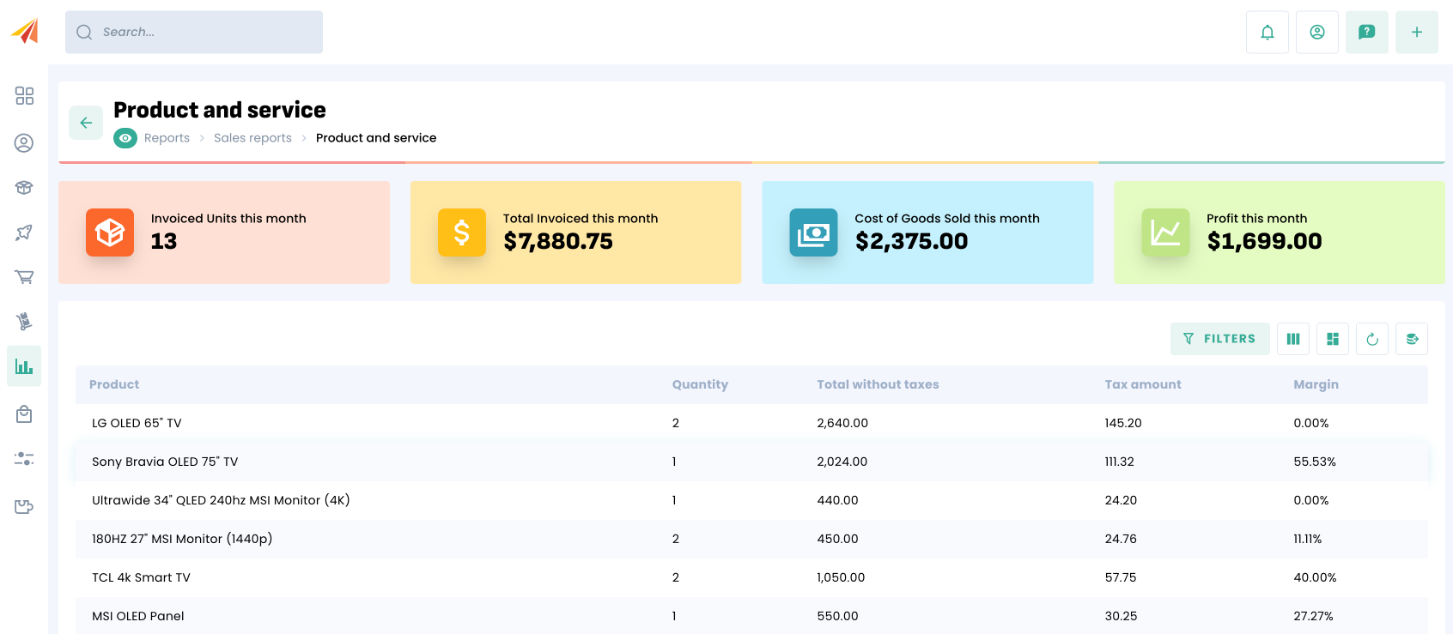
Margins are visible while creating a sales documents and also in your sales report.
Margin and how it is calculated in your sales documents
The margin of a product is determined by the following:
Margin = (total - / quantity - unit cost) / unit cost × 100
The margin is always presented as a percentage %.
Example:
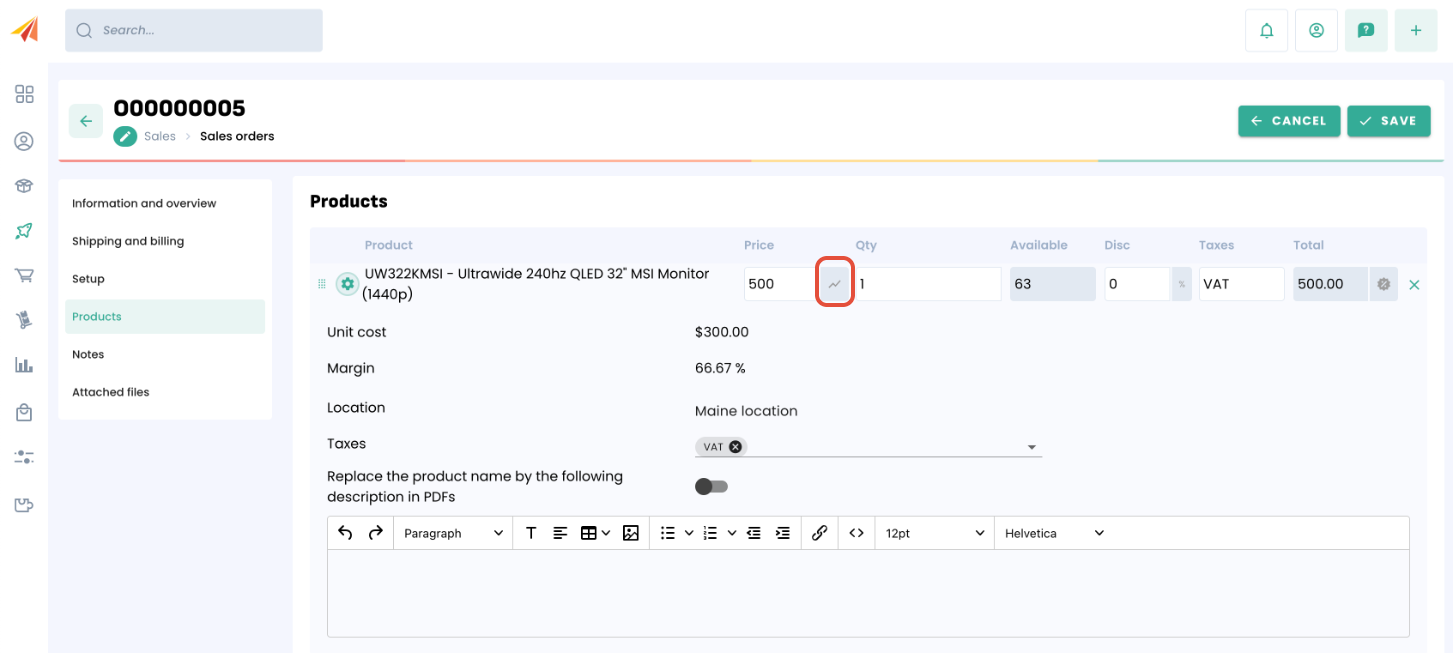
Calculation:
Margin % = [500 / 1 - 300] / 300 × 100 = 200 / 300 × 100 = 66.67 %
How to see the sales margin of products while creating a sales document
The sales margin can be seen for every product on every sales related documents (estimates, sales orders, invoices). The line item will appear with the logo circled above.
By clicking on this logo, the unit cost and margin of this product appears.
If the price in the line item is altered,the margin will be considerably altered.
Margin and sales reports
Margin on product sales can be seen in the Intelligence menu > Sales reports. These reports are based on specific creation date ranges, pulling together the sales price of every product sale and the current valuation to calculate an over-all margin of sale for every product.