You can set up validation rules in Erplain. Those rules can be put in place to add an extra layer of security to your purchasing processes, where users can validate a purchase before the finalization.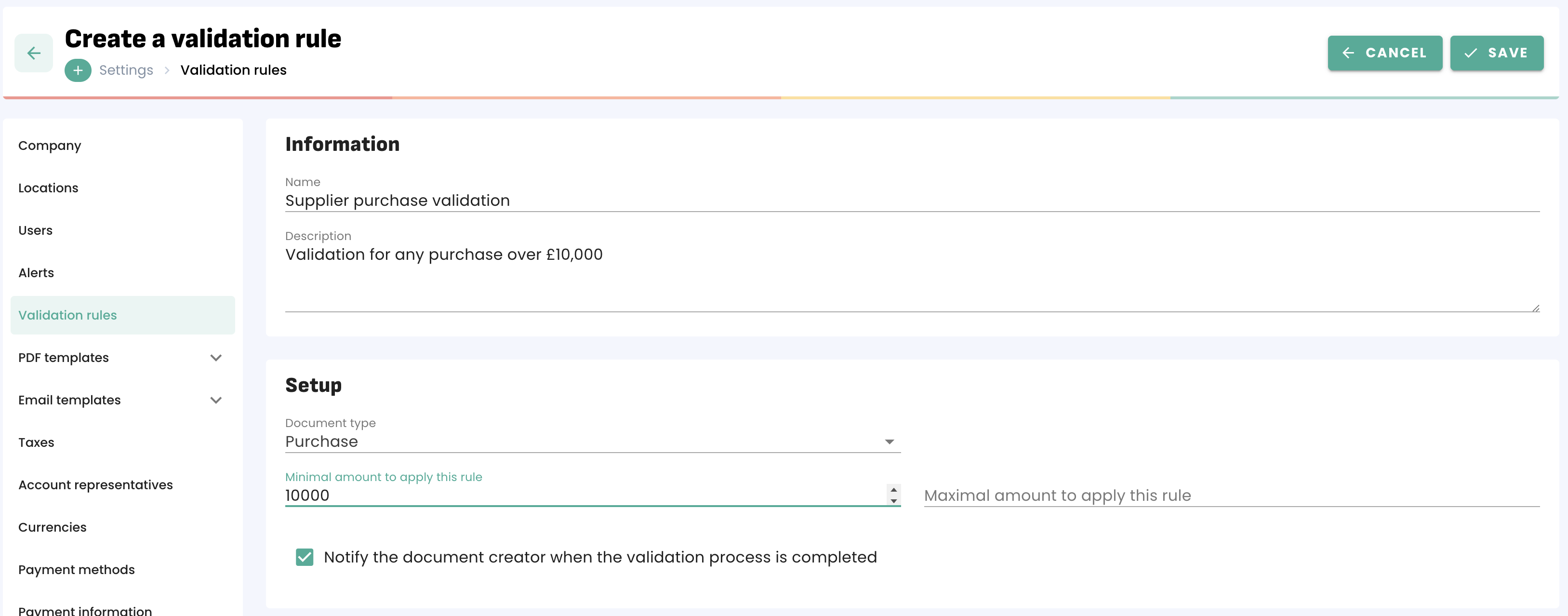
You can select a minimal and a maximal amount for which that rule is applied, as well as choose whether or not the document created is notified when a document validation is completed.
Once the rule is configured, you can then select which users will need validation when creating documents. You will also determine the different steps, as a single document can go through multiple validations if necessary.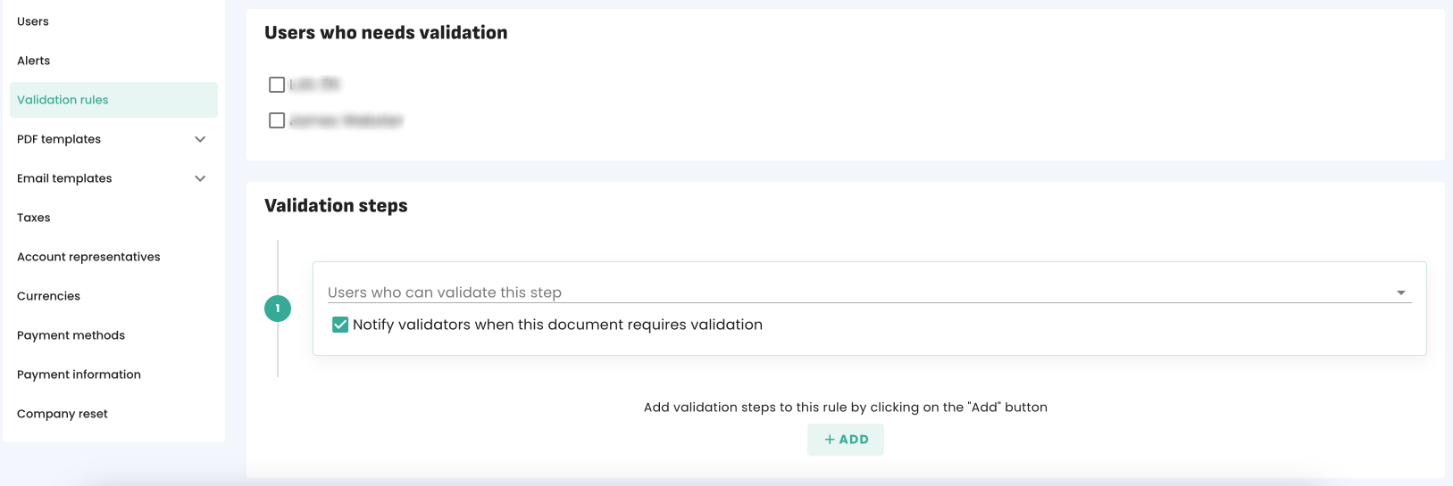
Here is what the user who needs validation will see when creating a document: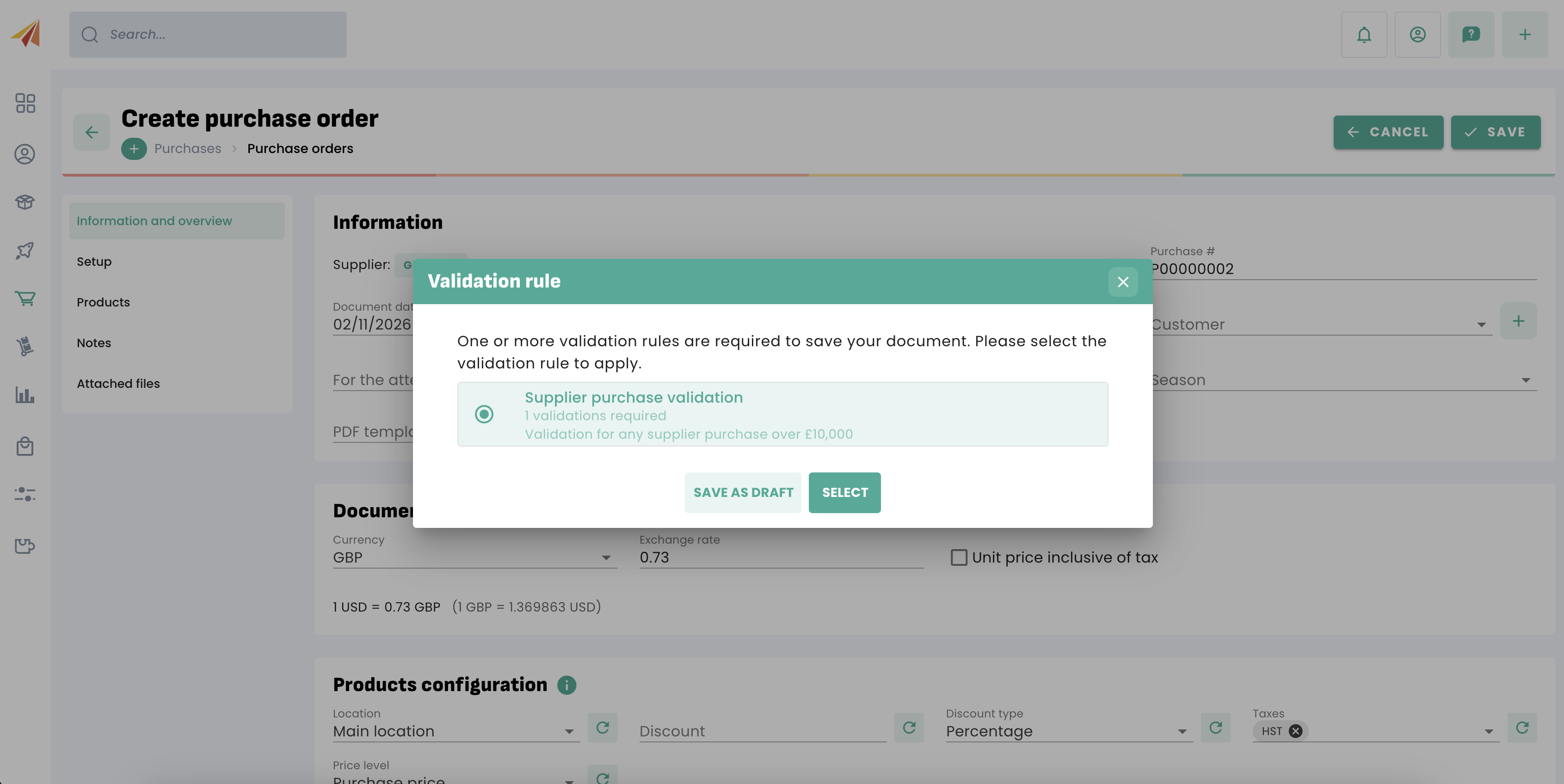
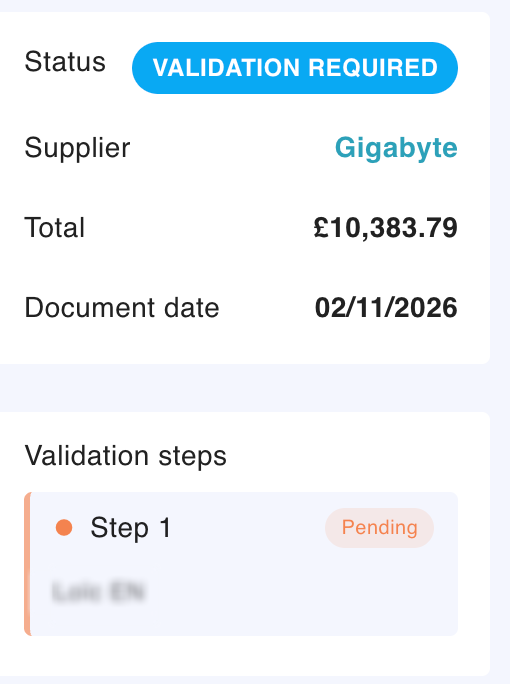
The person in charge of validating the document will be notified and be able to either validate or reject the document.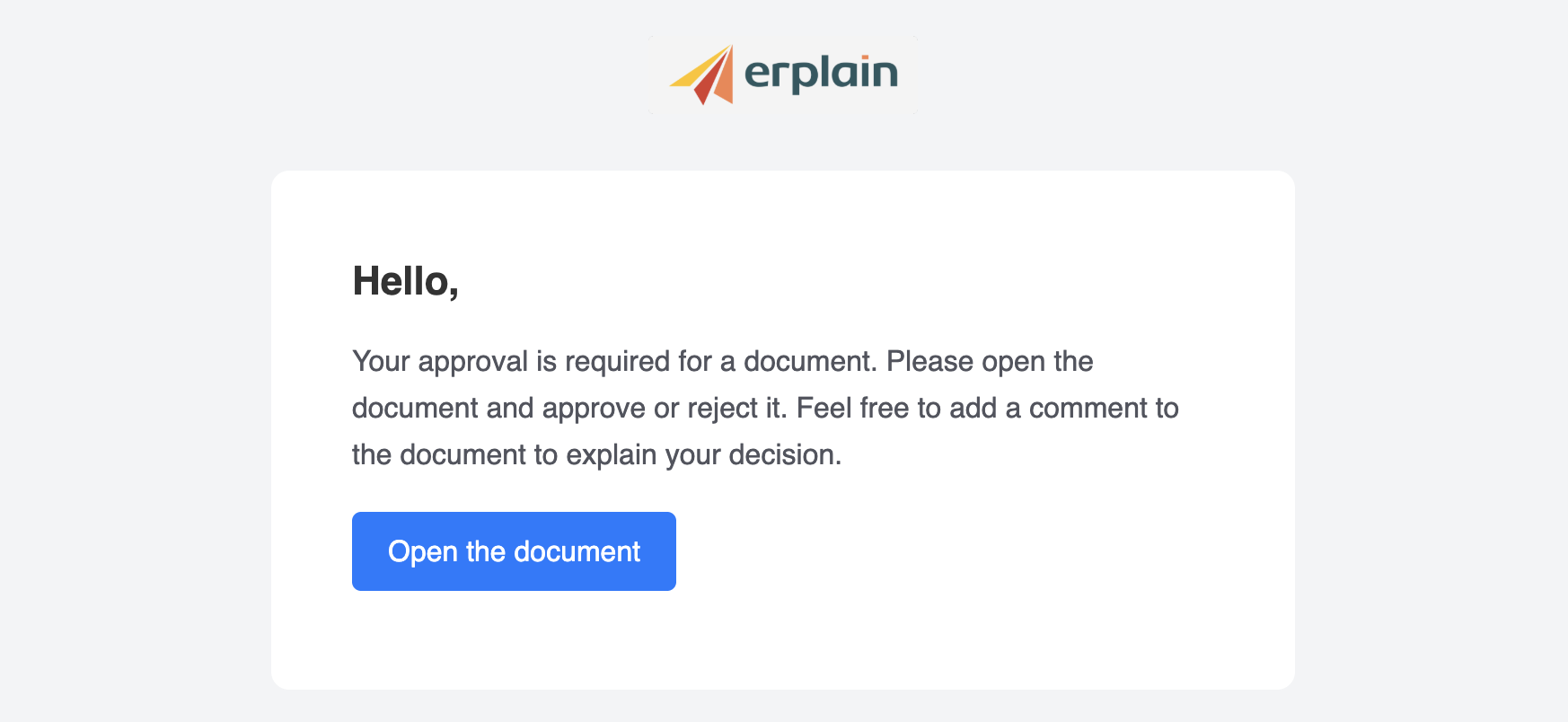

Once the document is validated, its status switches to active and the purchasing process can resume.
Was this article helpful?
That’s Great!
Thank you for your feedback
Sorry! We couldn't be helpful
Thank you for your feedback
Feedback sent
We appreciate your effort and will try to fix the article