Track the traceability of your products down to the individual unit: from purchase receipts through to customer delivery, including stock counts and returns.
While a batch number groups together several units of the same product (for example sharing a common expiry date), a serial number identifies a single unique unit. It is the ideal tool for high-value products, electronics, or equipment requiring individual warranty or after-sales tracking.
1. Fundamental rules for serialised products
To use serial numbers in Erplain, a few simple principles apply to your product records:
No decimal stock: A product tracked by serial number can only have whole number quantities in stock (1, 2, 50, etc.). Half-units (such as 1.5) are not possible.Strict uniqueness: A serial number is unique for a given product within your company. You cannot register the same number twice for the same product, even if you have multiple warehouses.
Compatibility with batches: If a product is tracked by both batch number and serial number, each serial number must be linked to a specific batch.
To enable serial numbers on a product, go to the traceability section of a product.
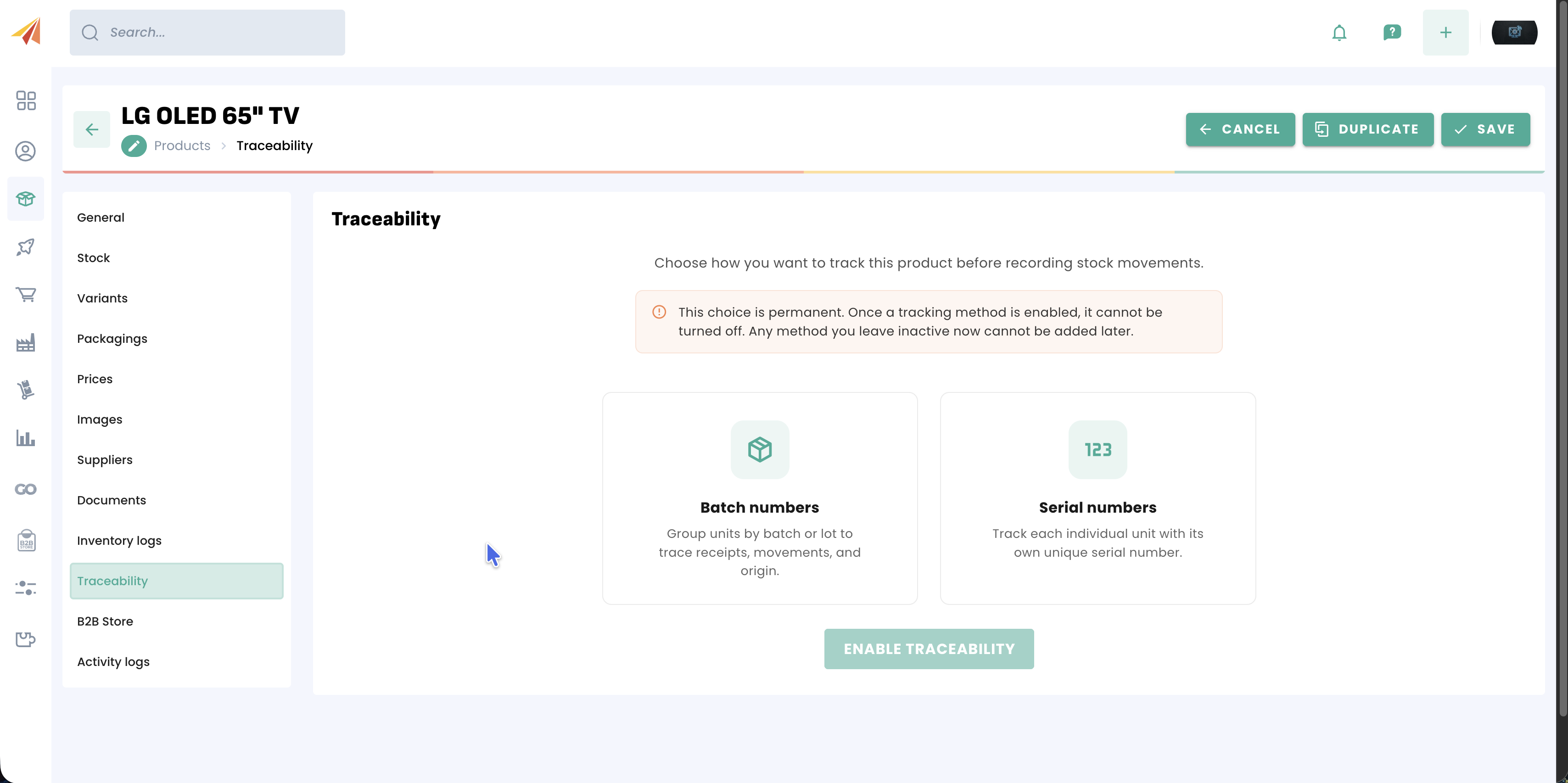
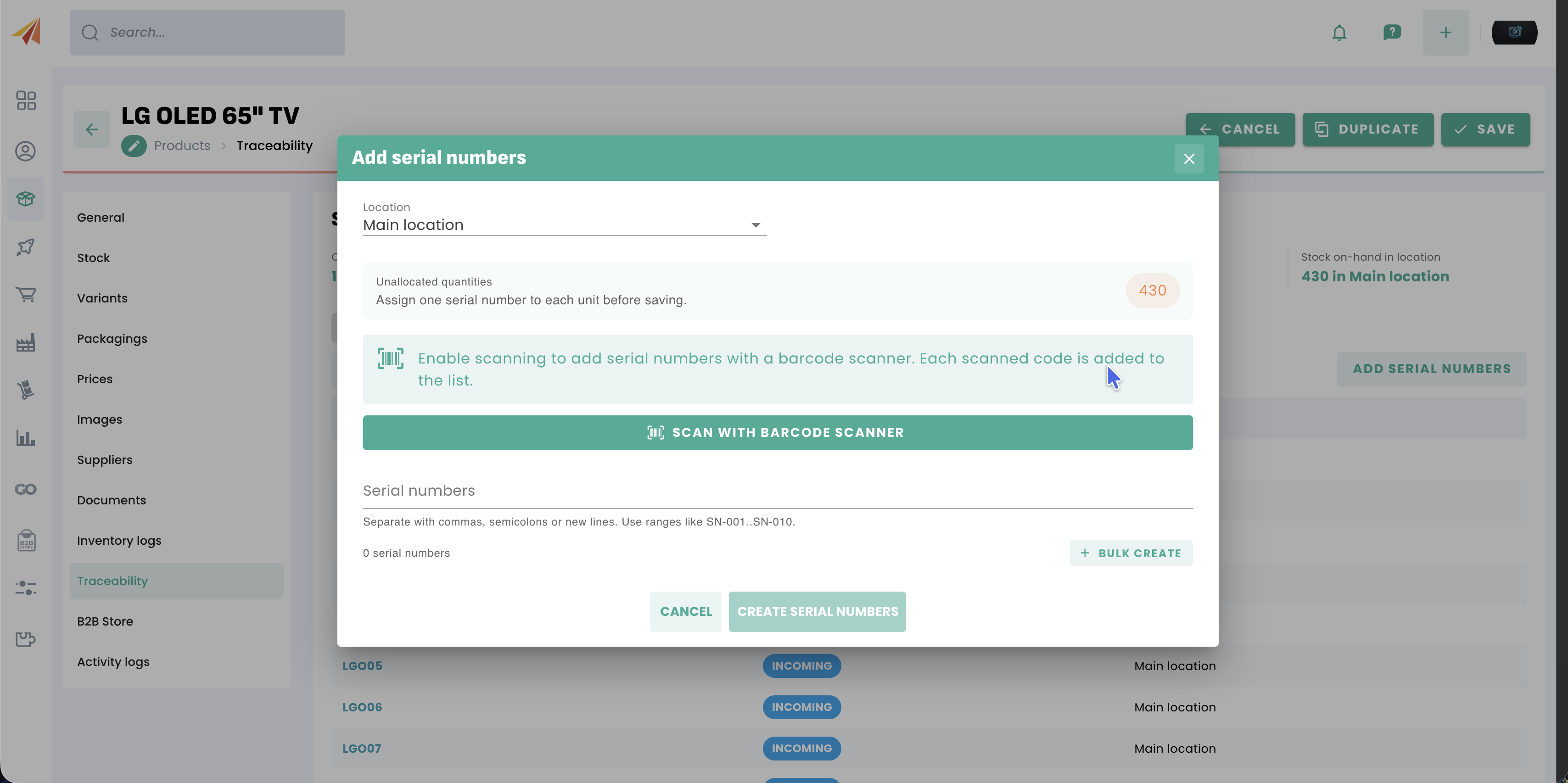
You can enable both batch number and serial number tracking on the same product. Once serial number tracking is enabled on a product, you can allocate the existing stock either one by one or with a bulk creation.
2. Lifecycle of a serial number (Statuses)
Each serial number goes through different statuses in Erplain to indicate precisely where it is:
The product is in stock in your warehouse. It is ready to be sold, transferred or used.
The serial number is selected in an active sales order. It is reserved for that sale and cannot be offered to another customer.
The product has left your warehouse following the validation of a delivery note or a direct invoice. It is permanently removed from your physical stock.
The product is no longer available in stock (removed via a negative stock adjustment, returned to the supplier, or identified as a discrepancy during a stock count).
3. Serial numbers in the sales and purchase cycles
Receiving and Stock Entries (Purchases)
When purchasing serialised products, you must enter their serial numbers to add them to your stock:
- Supplier Receiving Note: Upon receiving, you validate or scan the received serial numbers. This step updates the stock and sets the status to Available.
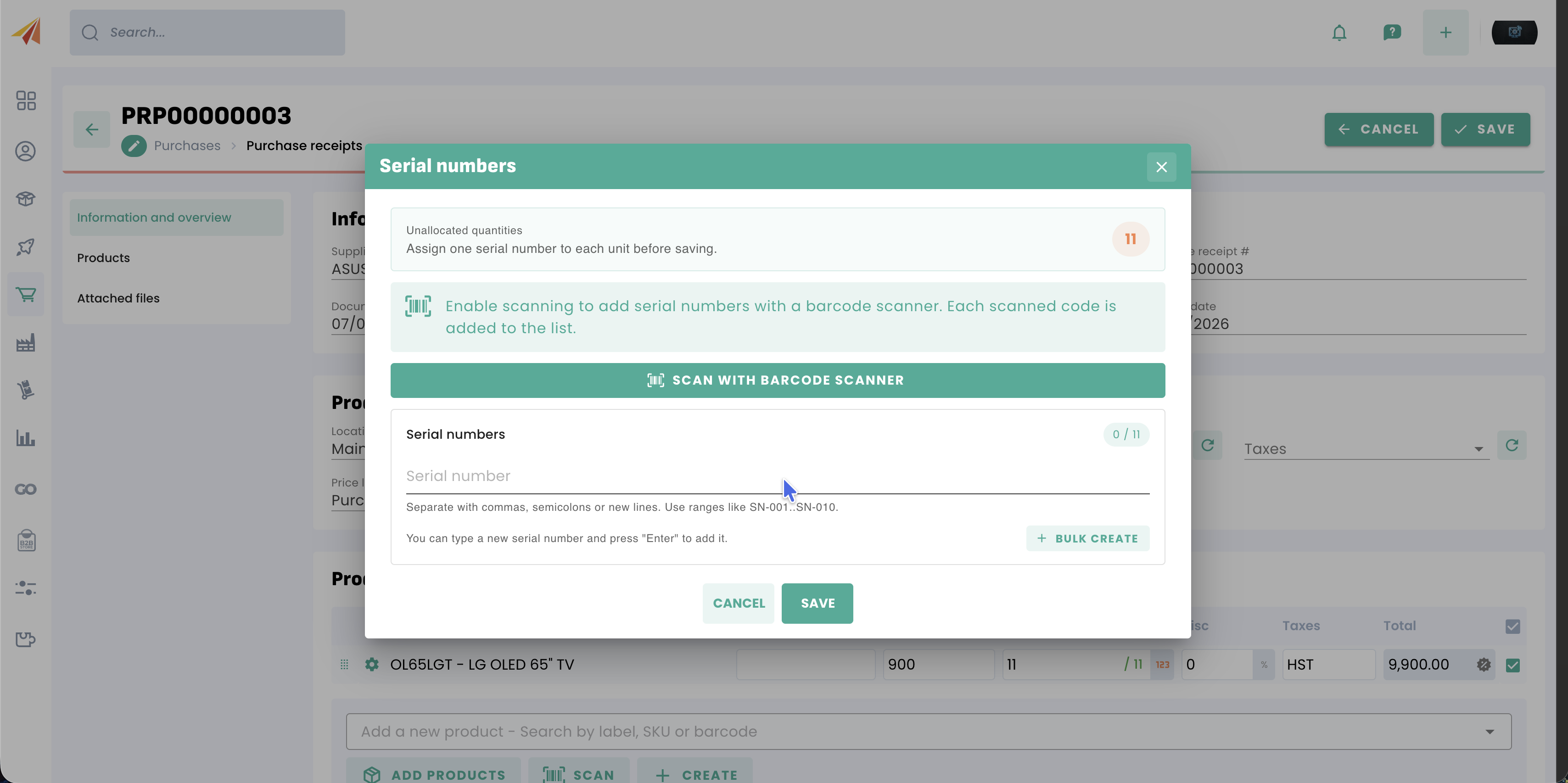
- Stock adjustment (Entry): If you add stock manually, Erplain will prompt you to enter the corresponding new serial numbers.
Shipping and Stock Removals (Sales)
When selling serialised products, Erplain ensures that you are selling the exact product selected:
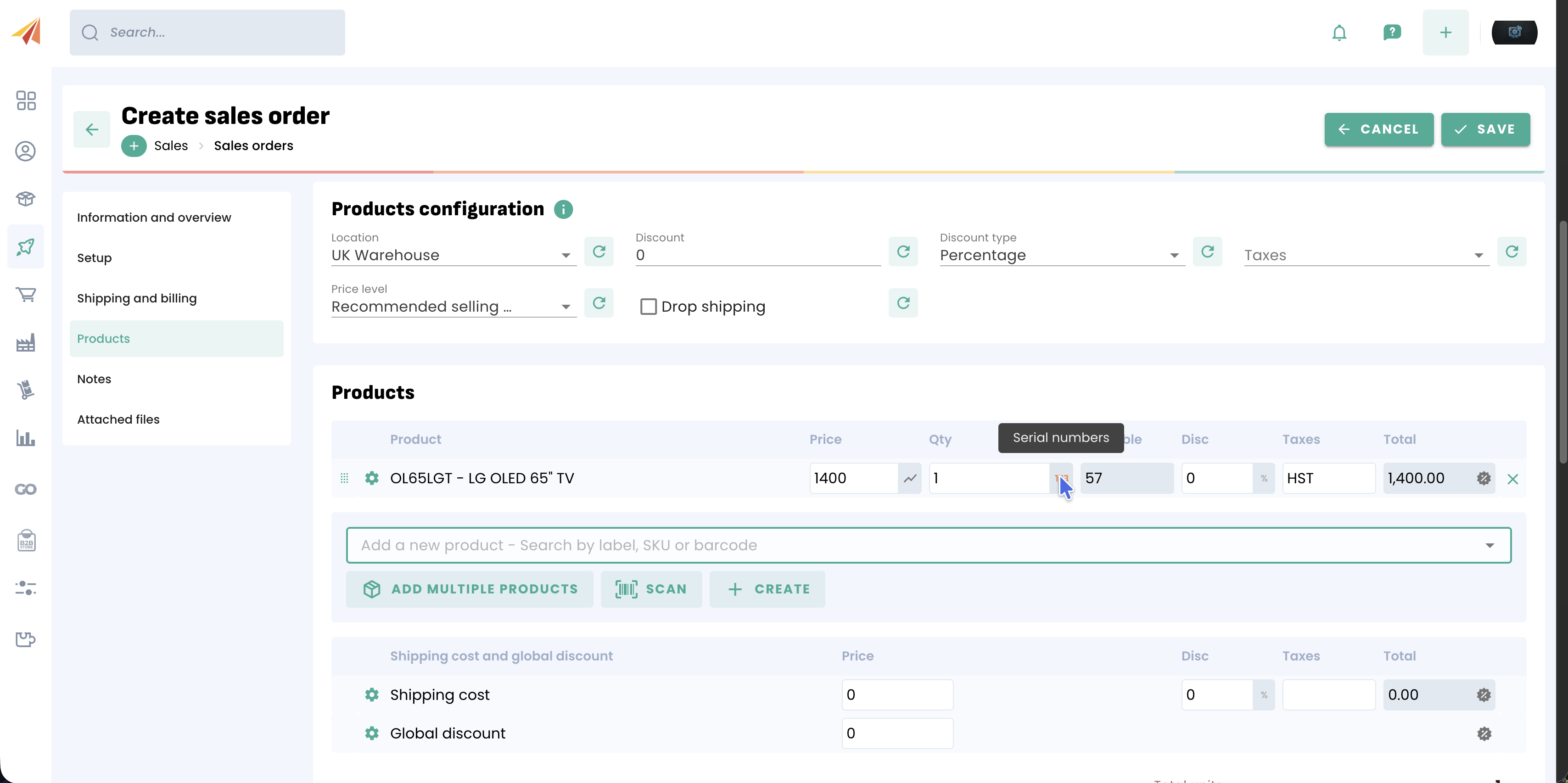
- Sales Order: You must choose serial numbers from those that are Available in the selected warehouse. They then move to Allocated to prevent them from being sold to another customer.
- Delivery Note / Invoice: As soon as you deliver or invoice the product directly, the associated serial numbers automatically move to Shipped.
- Stock adjustment (Removal): If you remove a product manually, you must select the specific serial number to remove. It then moves to Unavailable.
Product returns
- When reintegrating a product returned by a customer, you must select the serial number that was previously Shipped. It reverts to Available (or is isolated if defective).
4. Tracking serial numbers in Erplain
Serial numbers can be tracked in Erplain from the traceability menu. This provides you with a list of your serial numbers along with their statuses and an associated batch number where applicable.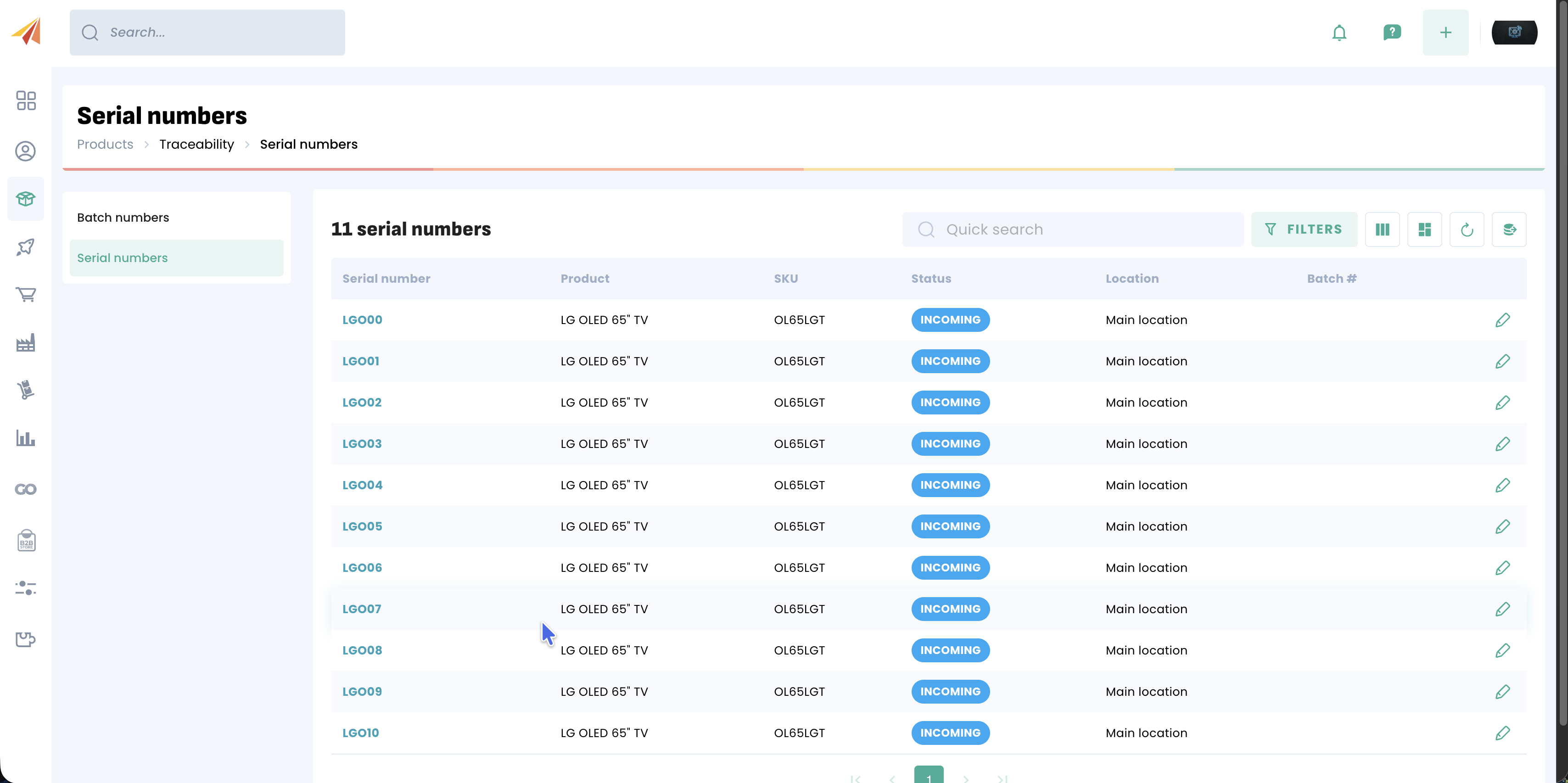
Serial number management in Erplain gives you complete and secure visibility over your high-value products. By understanding the role of each status and following the quantity matching rules during your transactions, you will maintain total and seamless control over your stock.
Was this article helpful?
That’s Great!
Thank you for your feedback
Sorry! We couldn't be helpful
Thank you for your feedback
Feedback sent
We appreciate your effort and will try to fix the article