Creation date
The creation date associated to a transaction is the date in which the document page is and saved.
This date impacts the order in which documents are presented in your lists (from most to less recent). You can check this date from any list of document at a glance (see column creation date).
The creation date can be used within Erplain to create filters and views, as well as within the different reports Erplain can create.
Note that if draft invoice is active then the invoice creation date will be the date the draft is finalized, not the creation date of the draft invoice it was created from.
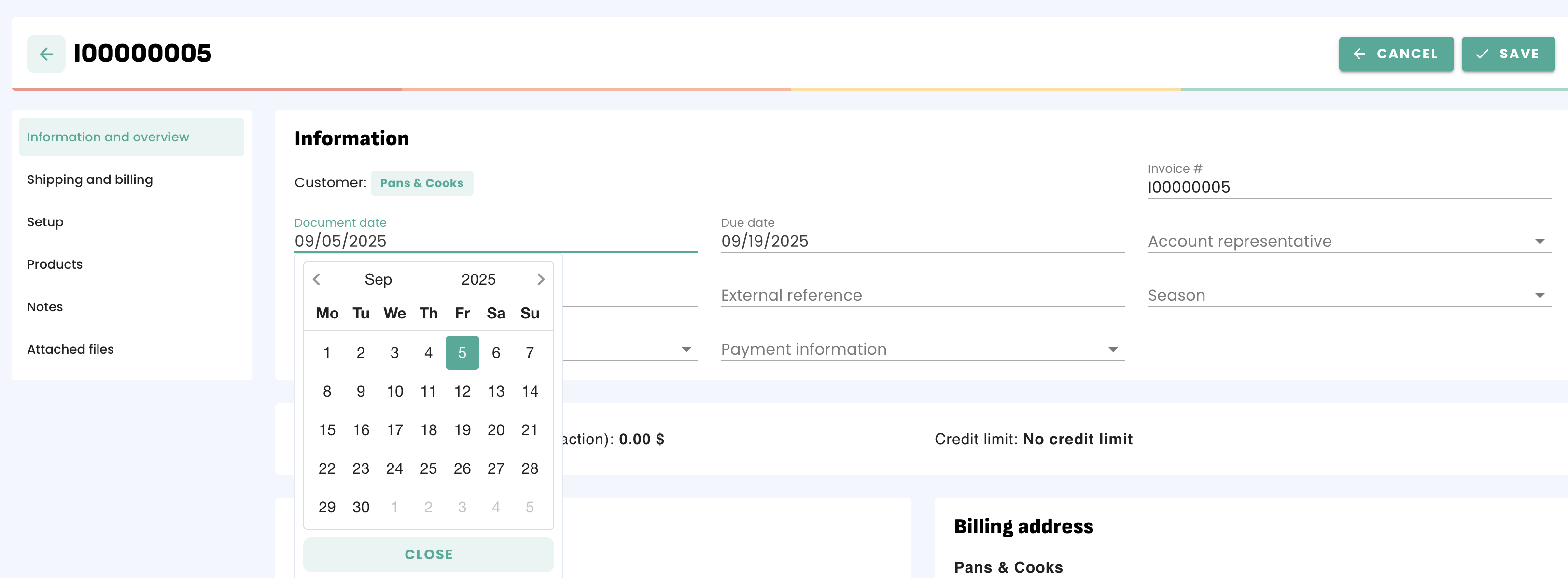
How to change the creation date of a document
For the following example, we will be using an invoice, however rest assured all transactions (invoices, purchase orders, ...) (*) function in the same manner.
Go to the Sales menu > Invoices (*) > Select the invoice you wish to modify. Beneath the customer name, the creation date of the document is displayed. You can click on it and select the new date on the calendar:
Why change the creation date?
The creation date of the document is vastly important for accounting purposes.
Note: This feature is not available within certain countries such as France due to fiscal law restrictions not allowing finalized invoices to be altered.
Was this article helpful?
That’s Great!
Thank you for your feedback
Sorry! We couldn't be helpful
Thank you for your feedback
Feedback sent
We appreciate your effort and will try to fix the article