Custom fields allow you to adapt Erplain to the specific needs of each business by adding tailored information to various records and sales or stock documents.
Custom fields are available in the settings, with several sub-sections for the different forms where they can be applied.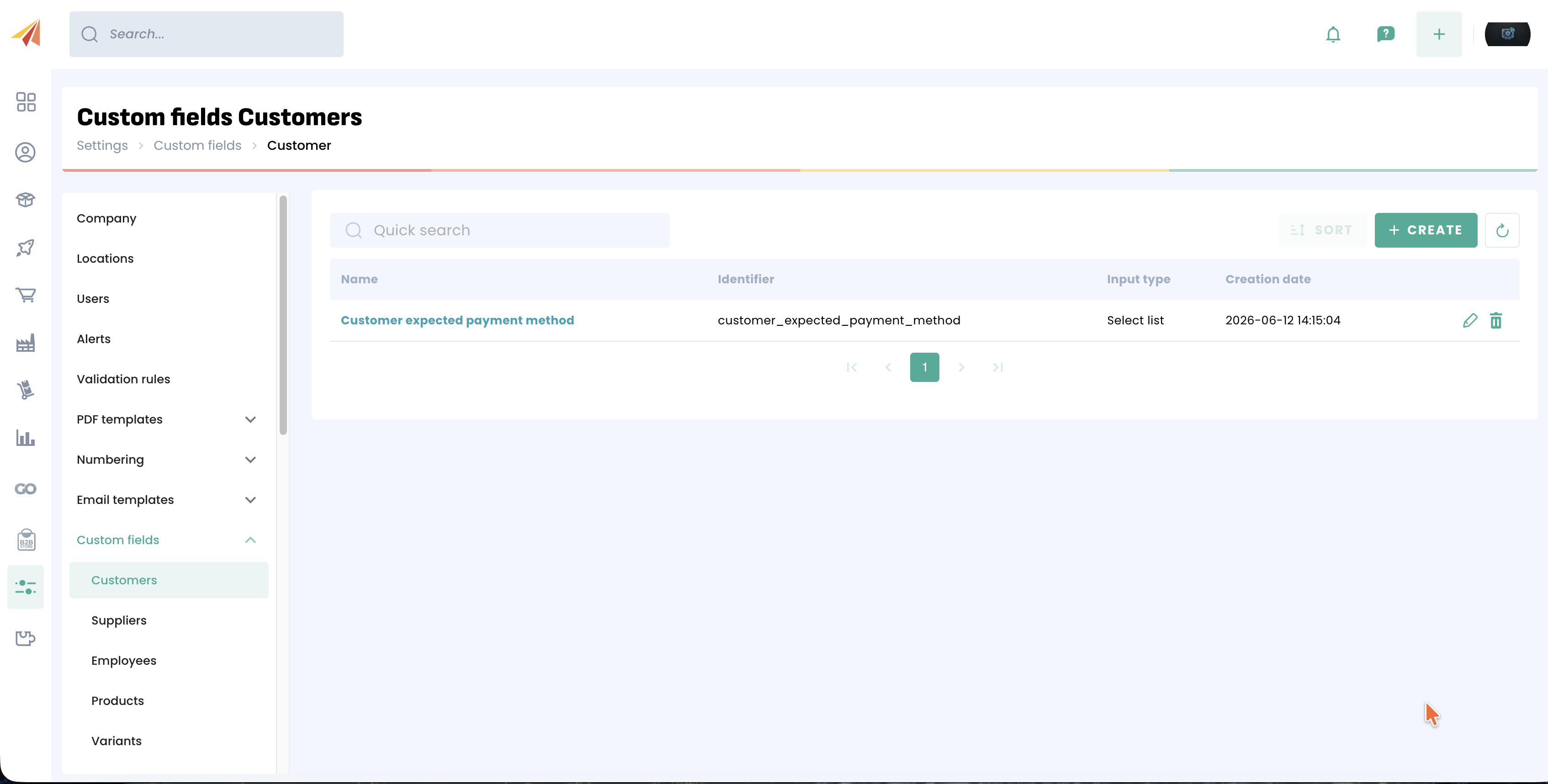
Custom fields can be associated with a wide range of elements:
- Contacts: Customers, Suppliers and Employees.
- Product catalogue: Products and Product variants.
- Sales documents: Estimates, Sales orders, Delivery notes, Invoices, Product returns, Refunds and Credit notes.
- Purchase documents: Purchase orders and Receiving notes.
- Stock movements: Stock entries, Stock removals and Stock transfers.
- Financial management & Subscriptions: Payments and Subscriptions.
General operation
In Erplain, a custom field is defined by a fixed structure that governs how the data is entered, validated and stored.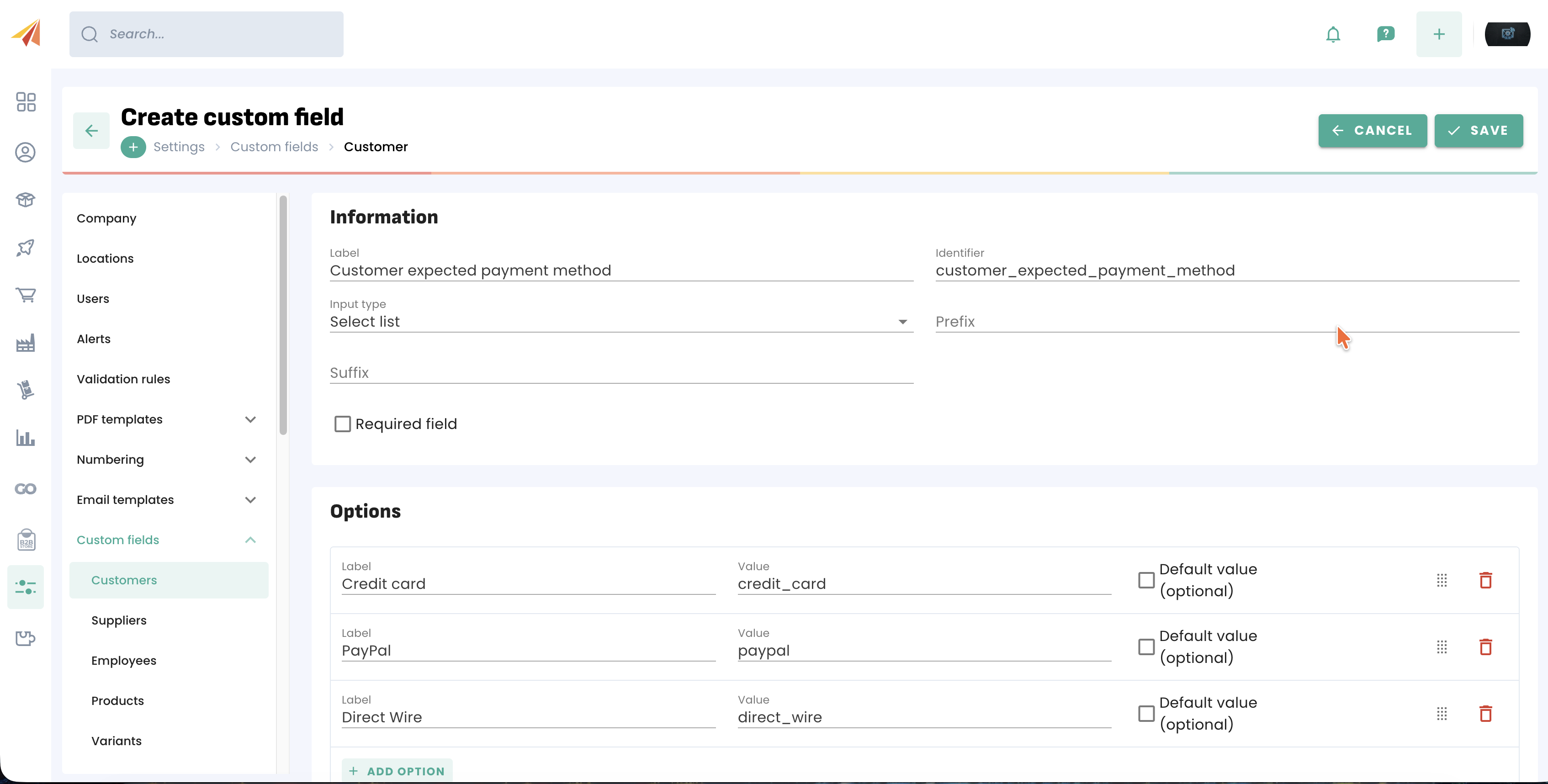
Each custom field is characterised by:
- Name: The name visible to users in the interface (e.g. "Item colour" or "Customer access code").
- System identifier: A unique technical name automatically generated upon creation (in a simplified format, e.g.
item_colour).
To ensure data consistency, this identifier is permanent and cannot be changed after creation, although it can be edited at creation time if, for example, you wish to shorten it. - Input type: The format of the field (text, number, list, etc.), which is also not editable after the field has been created.
- Behaviour rules: A set of optional criteria configurable by the manager (making the field mandatory, setting a default value, or imposing limits such as minimum/maximum values).
Custom field types
Here is a simple explanation of each field type you can create:
- Text: A single line of plain text.
- Text area: A multi-line block of text.
- Number: A field intended for numerical values only (decimal or whole numbers).
- Boolean: A simple checkbox for binary choices.
- Date: A calendar picker for selecting a specific date.
- Date/Time: A full picker for recording both a precise date and an exact time.
- Select list: Allows you to choose one or several options from a predefined drop-down list.
- Radio buttons: Displays all available options as visible circular buttons.
- Checkboxes: Displays a list of options with square checkboxes. The user can select as many as they wish.
Once the custom field has been created, it becomes available on the relevant form. A custom field on customers will therefore be available in the "General" section of the customer profile. It is also possible to use Filters and views to filter by these fields.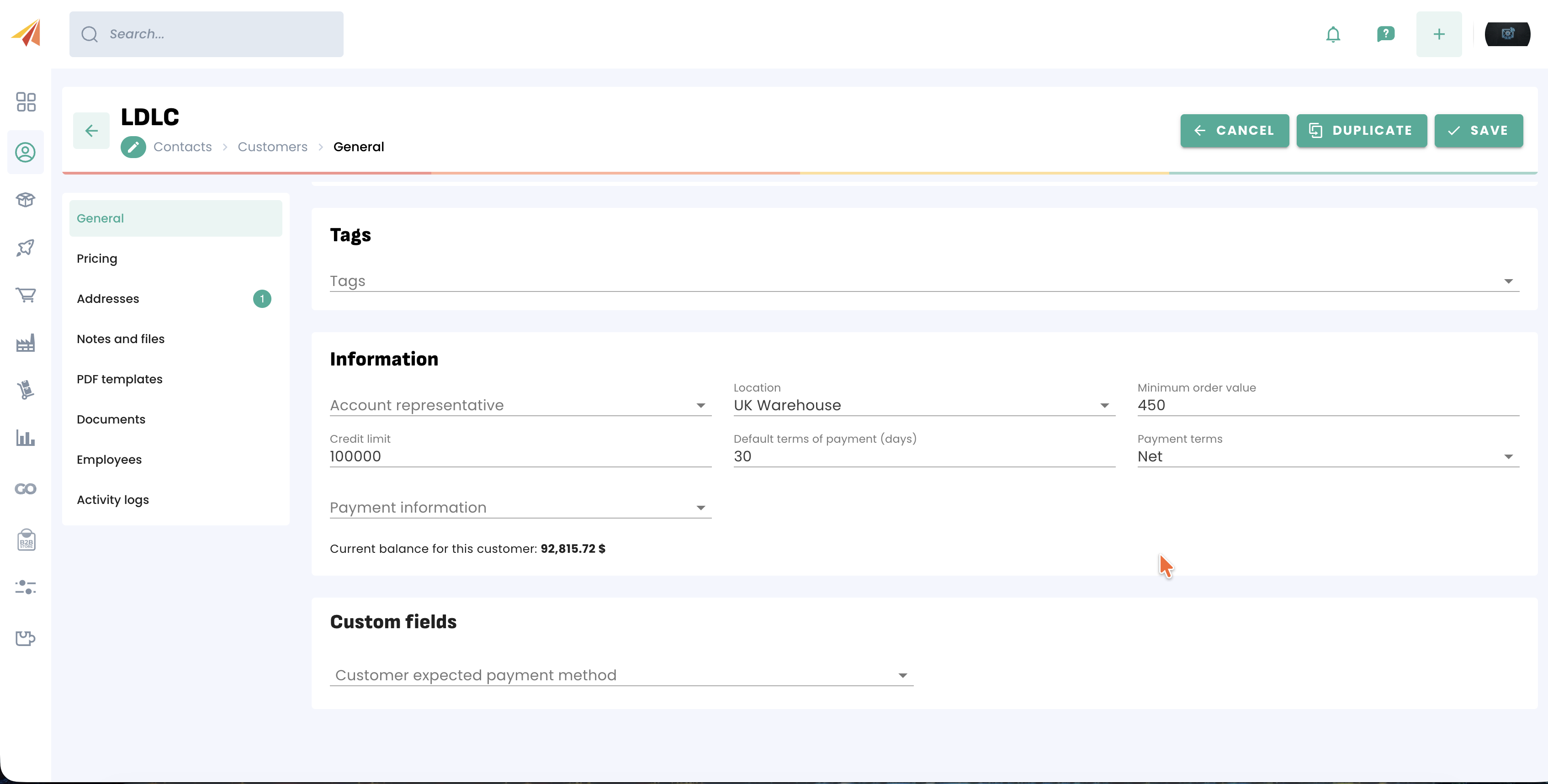
Custom field examples
Here are a few examples of custom fields you can use in Erplain:
Applying Incoterms to a purchase
Custom field on: Purchase orders
Field type: Select list
Possible values: EXW, FOB, CIF, DAP, DDP
Use case: Relevant for businesses that import goods or work with international suppliers.
Displaying customer type
Custom field on: Customers
Field type: Select list
Possible values: Reseller, Distributor, End customer, Key account
Use case: Segment customers by their commercial profile. This allows you to filter customers, prepare targeted sales actions or adapt sales conditions accordingly.
Supplier certification
Custom field on: Suppliers
Field type: Boolean / checkbox
Use case: Quickly indicates whether a supplier has been validated according to the company's internal criteria.
Using custom fields in PDF documents
Custom fields can also appear in PDF documents generated by Erplain. To do this, you will first need to select them in the PDF settings options of the relevant documents.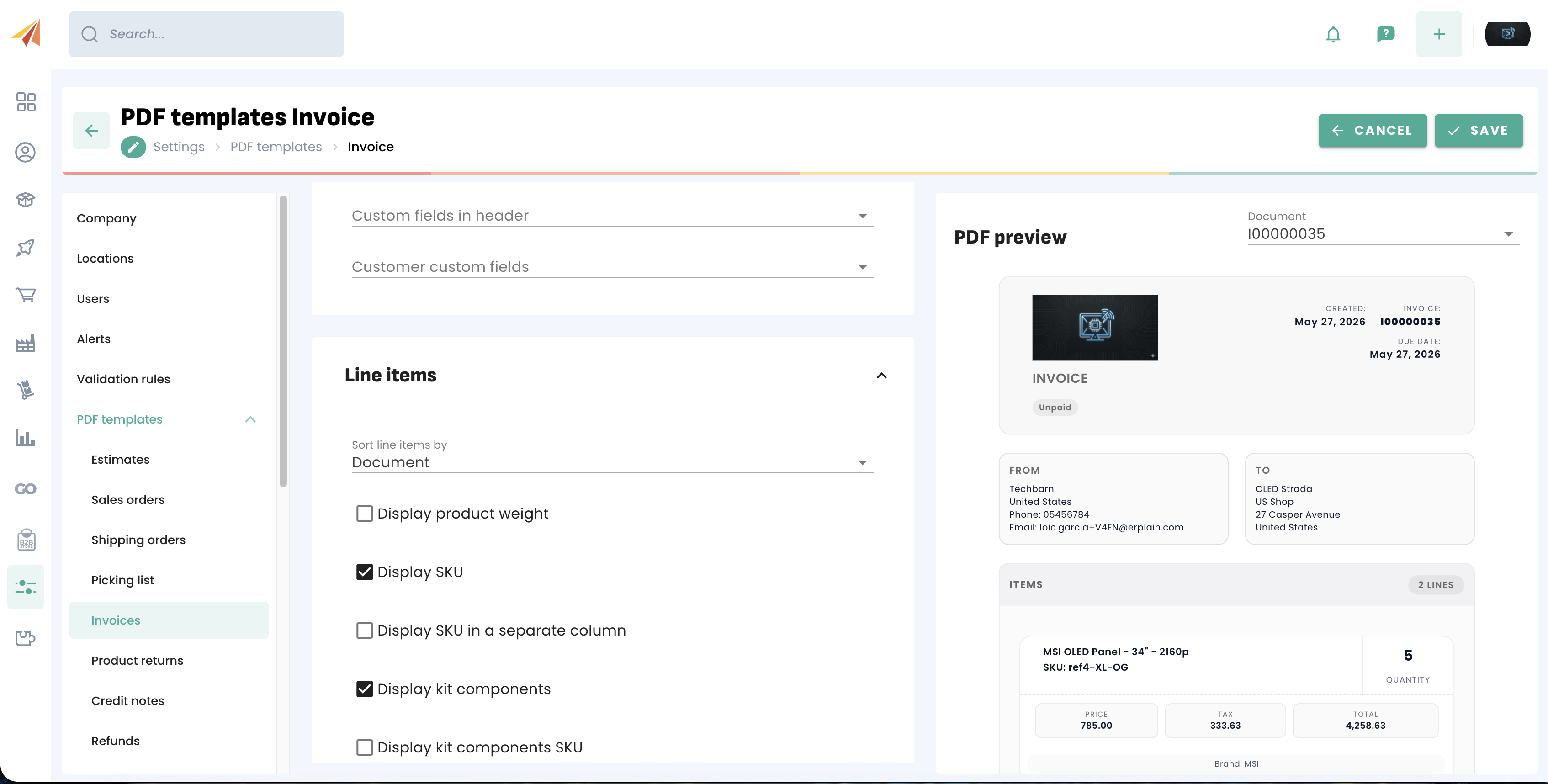
Was this article helpful?
That’s Great!
Thank you for your feedback
Sorry! We couldn't be helpful
Thank you for your feedback
Feedback sent
We appreciate your effort and will try to fix the article