Once you have activated Erplain GO, there are a few settings that you can edit to suit your business.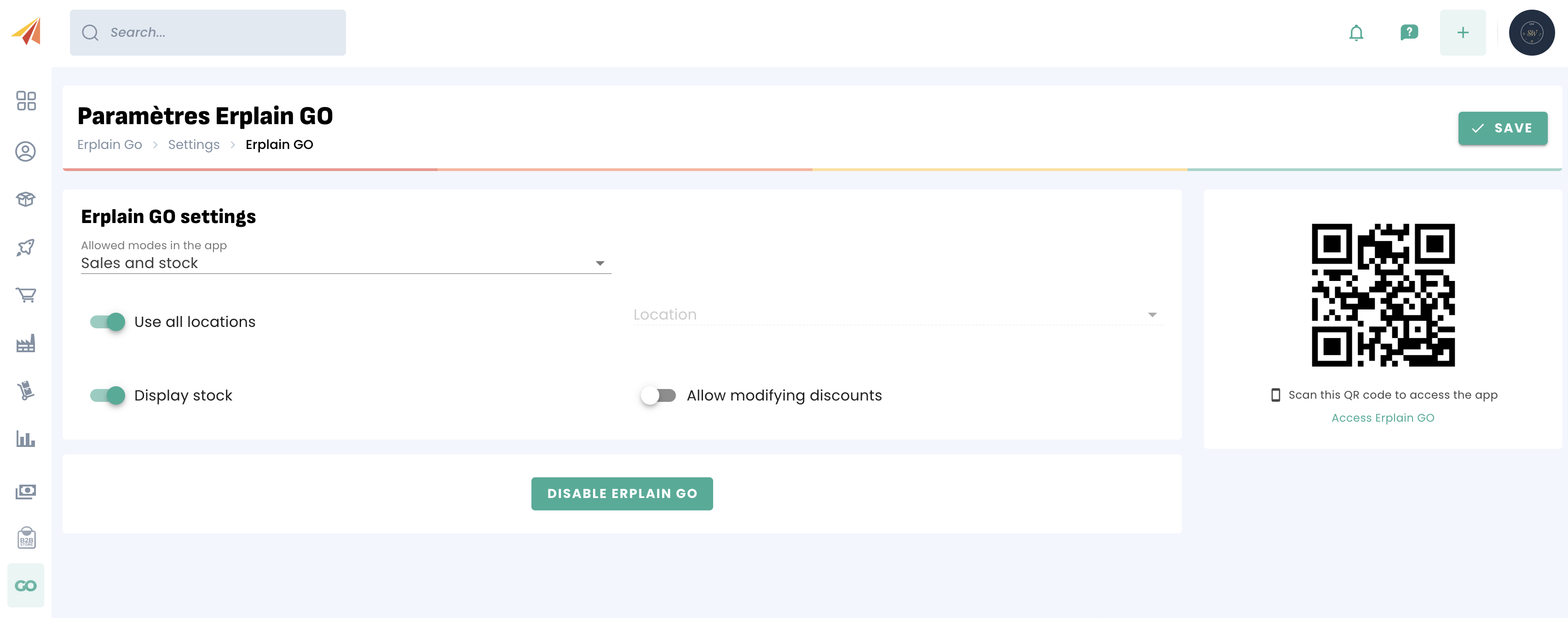
Allowed modes in the app: You can decide whether or not the Erplain GO users will have access to the Sales mode, the Inventory mode, or both.
Use all locations: If you only want Erplain GO to only use stock from a specific location, you can turn that option off and select a default location.
Display stock: You stock levels can be apparent or hidden on the Erplain GO interface, depending on if you want your sales representatives to let the customers know about the stock levels
Allow modifying discounts: With the option turned off, the Erplain GO users will only have access to the discounts that have been set up in Erplain. Otherwise, custom discounts can be put in place directly in Erplain GO.
Was this article helpful?
That’s Great!
Thank you for your feedback
Sorry! We couldn't be helpful
Thank you for your feedback
Feedback sent
We appreciate your effort and will try to fix the article