Erplain allows you to put custom pricing tiers in place for a product purchased from your suppliers.
You can create various tiers allowing you to have a pricing that is automatically adjusted depending on how many units you're purchasing. The unit price is adjustment based on the number of units purchased.
To create a pricing tier, it starts from a product page, in the 'Suppliers' section. In here, you can setup a specific product for the product for each customer.
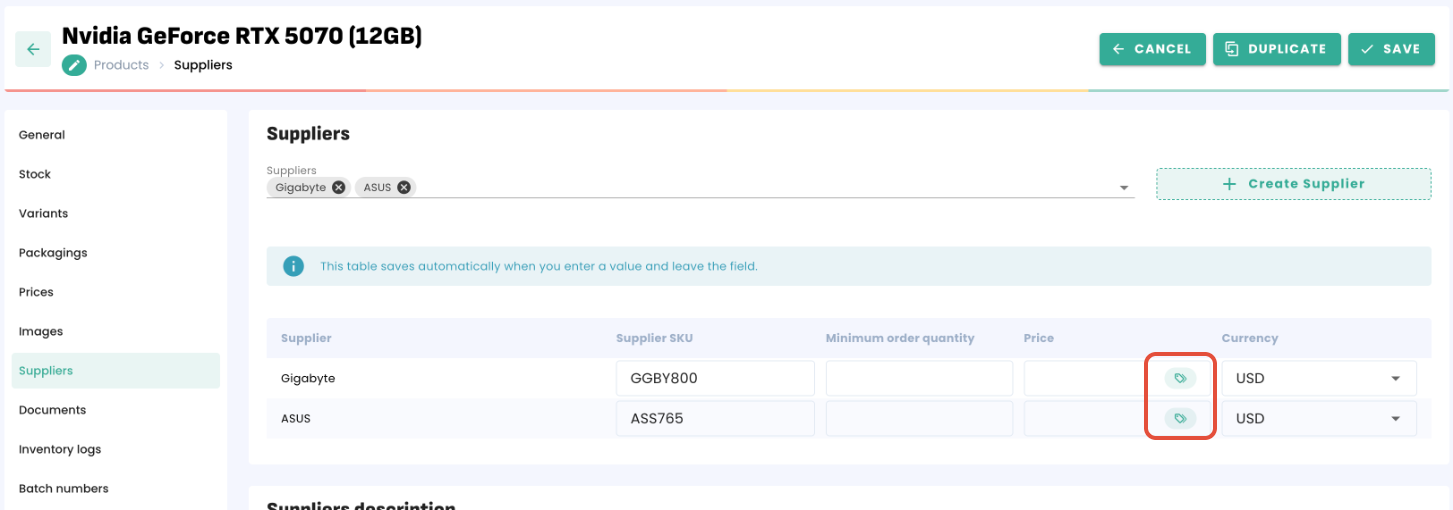
If you click on the icon, you can create tiers depending on how many units you're purchasing, which will update the purchase price accordingly.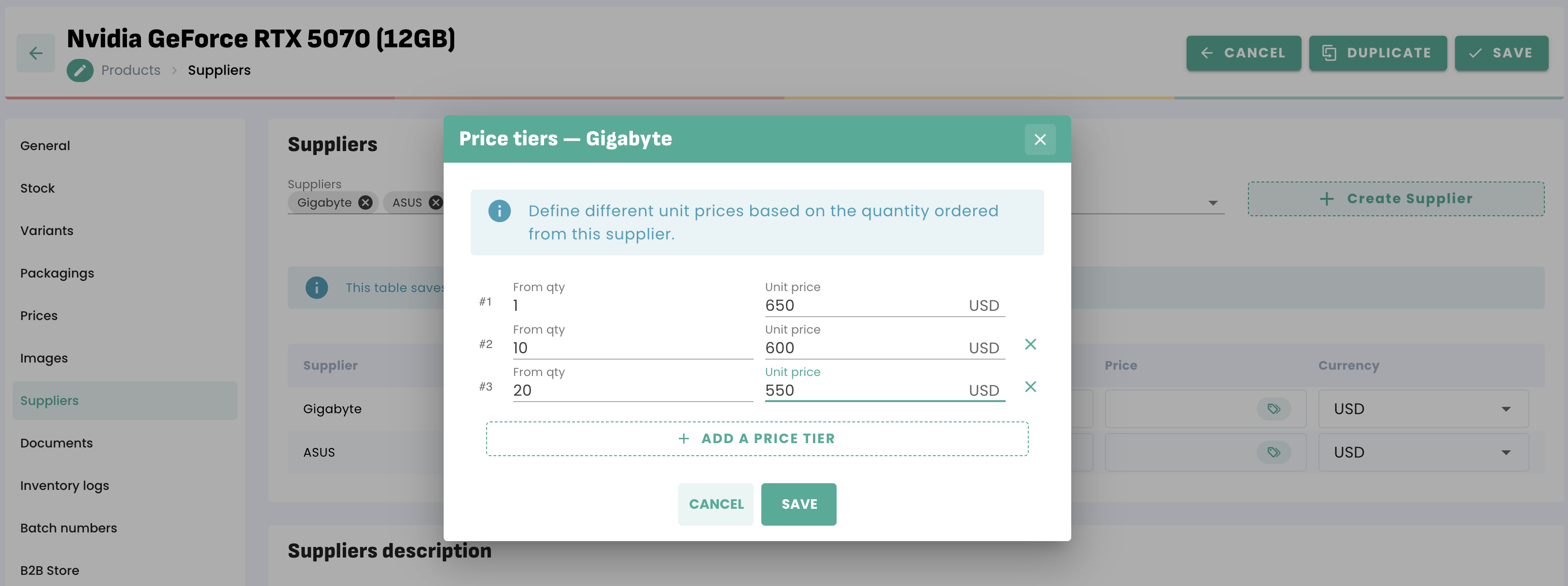
You can create as many tiers as you need.
Then, the tiers are automatically triggered when creating a purchase and reaching the quantity needed for each tier. A notification lets you know that the unit price has been updated.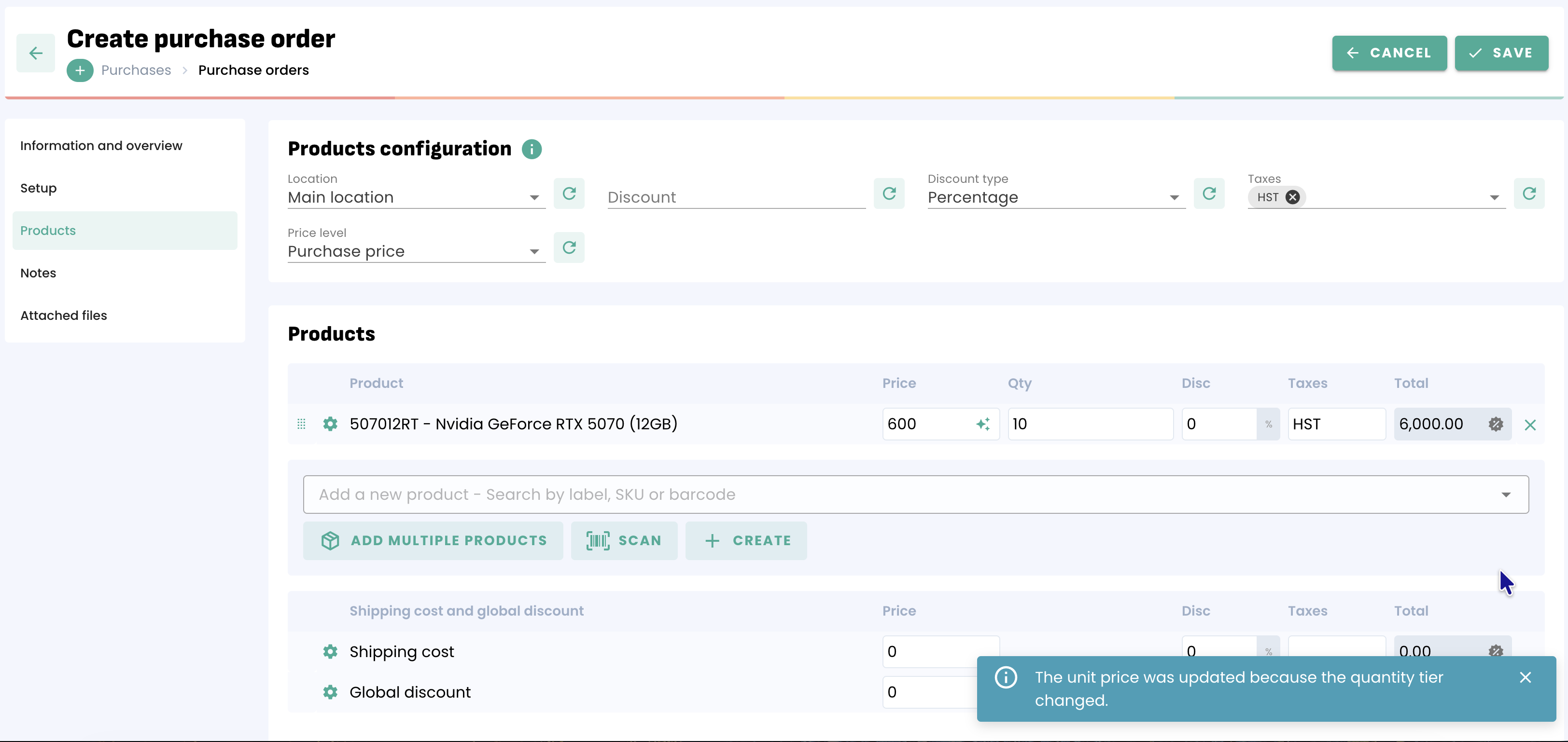
You can also switch to manual mode if you want to edit the price without following the tiers.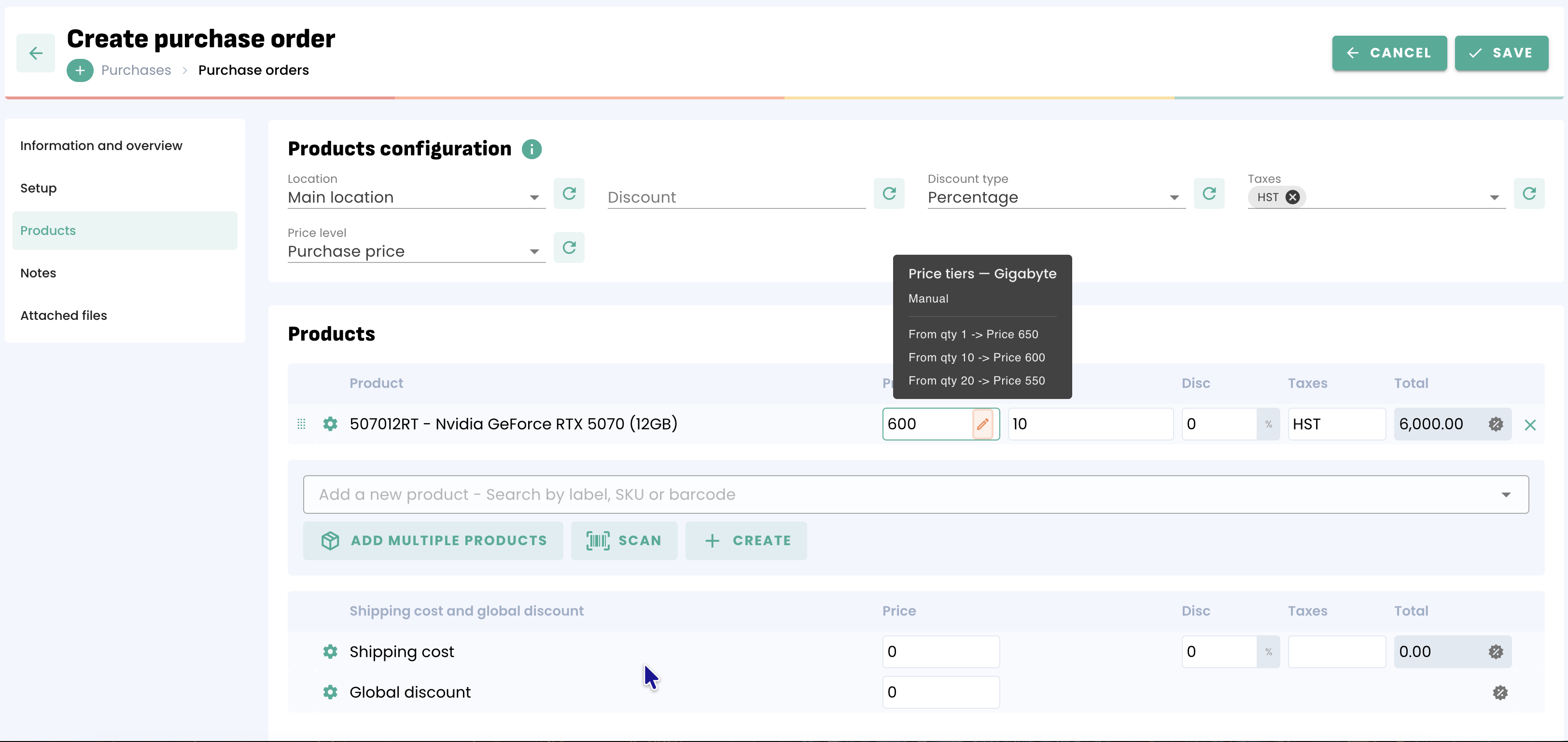
Was this article helpful?
That’s Great!
Thank you for your feedback
Sorry! We couldn't be helpful
Thank you for your feedback
Feedback sent
We appreciate your effort and will try to fix the article