Erplain allows you to perform a stock snapshot import. This enables you to date a stock import to a date of your choice and include a reference cost.
This can be useful in the context of a stock update or a historical stock correction.
To perform a dated import, first go to your stock levels, then click on "import stock". 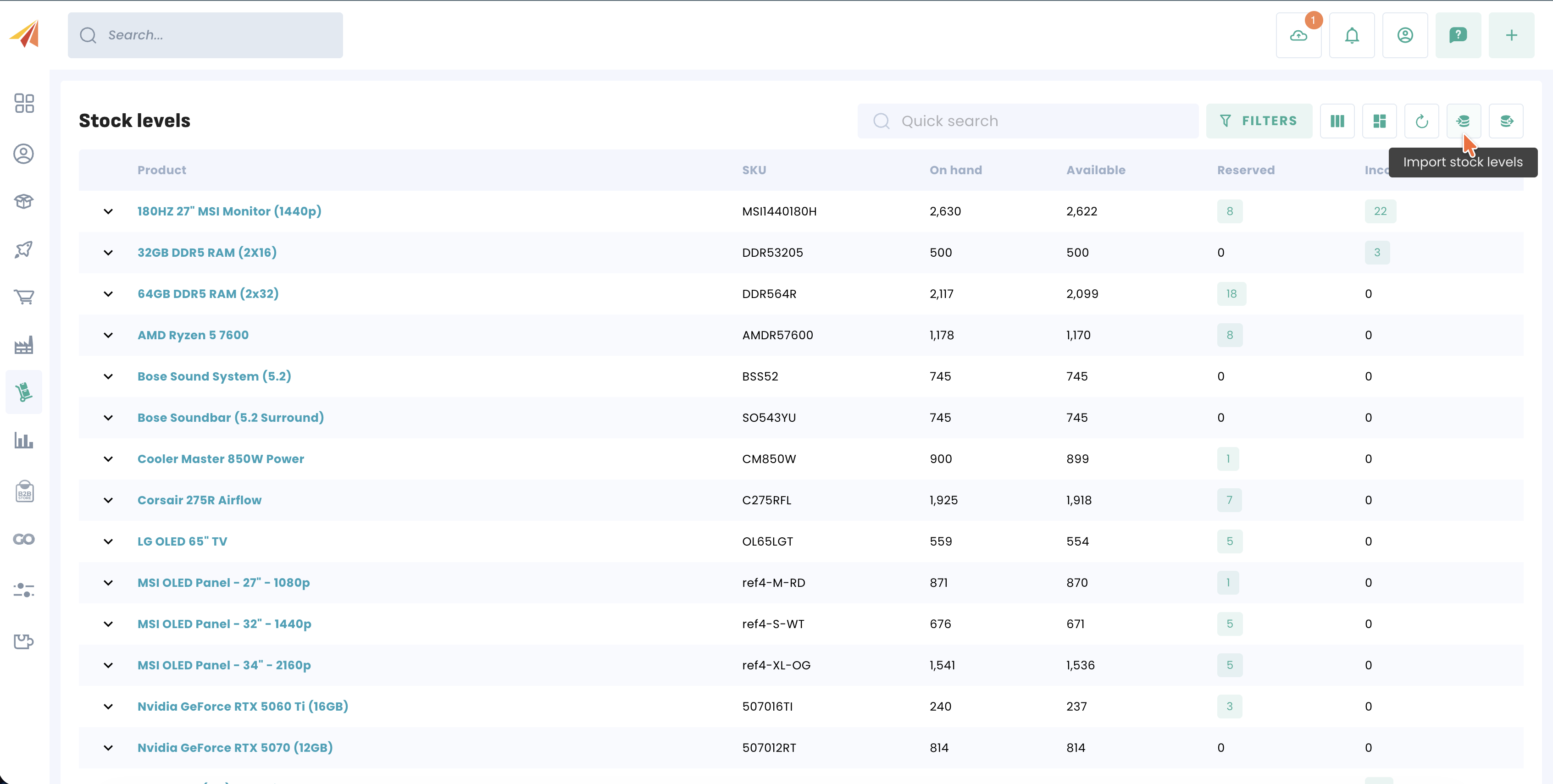
You will then have the choice between performing a current import or a dated import.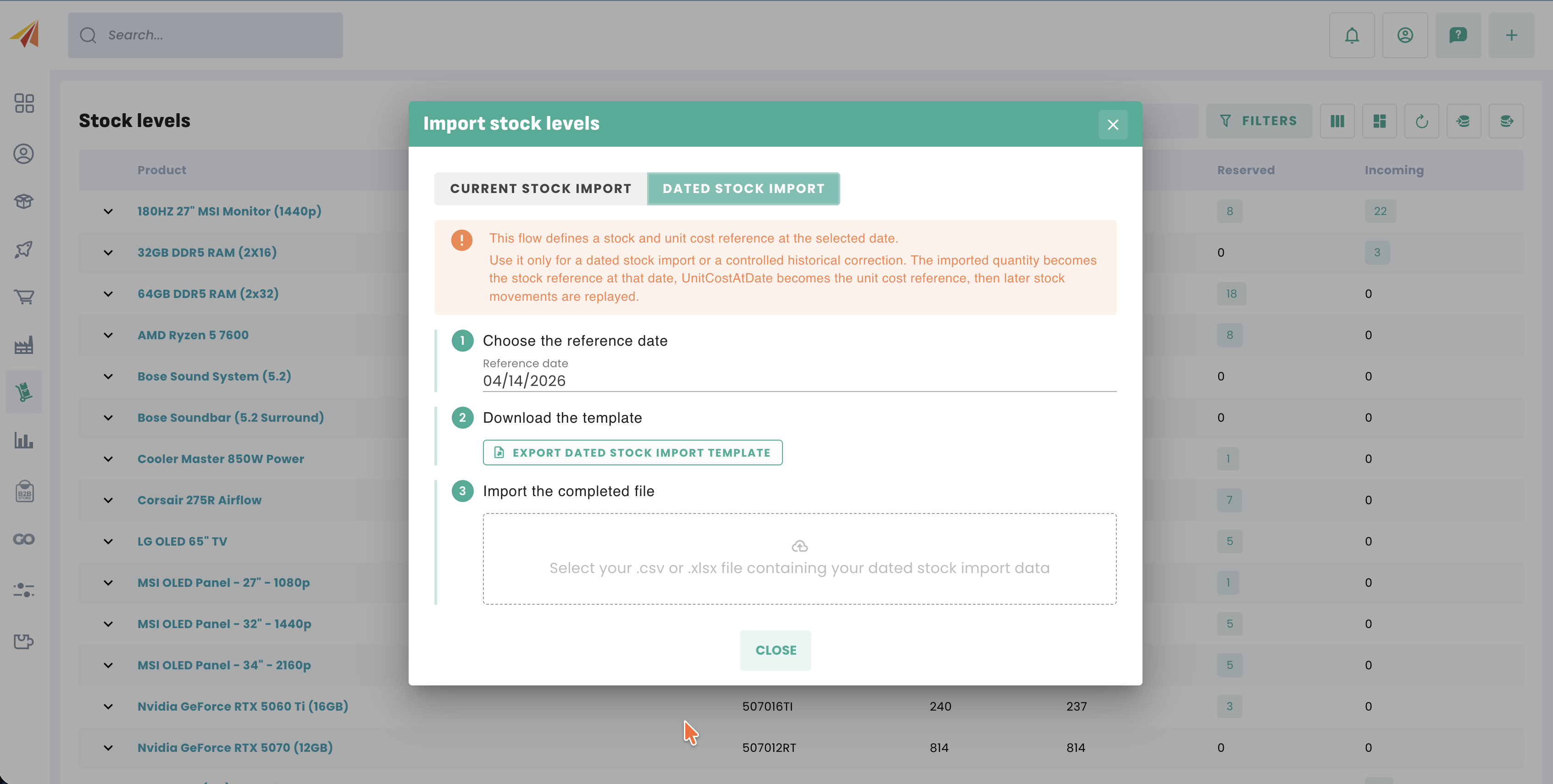
Once the date has been entered, you can download the template file and fill it in. The OnHandAtDate column corresponds to the stock at that date, while UnitCostAtDate corresponds to the reference cost.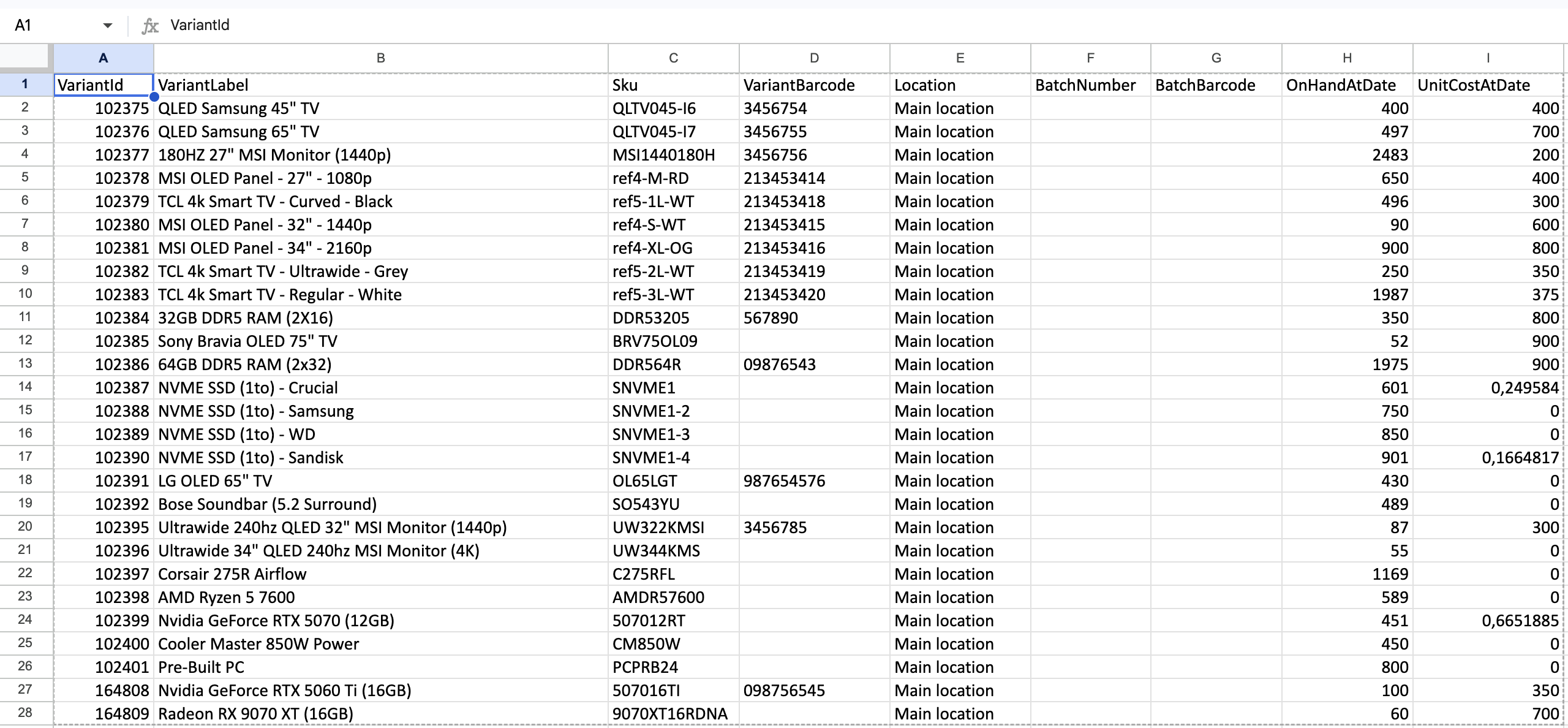
Once the file has been filled in, all that remains is to re-import it by selecting it in the import window where you previously downloaded the template.
Was this article helpful?
That’s Great!
Thank you for your feedback
Sorry! We couldn't be helpful
Thank you for your feedback
Feedback sent
We appreciate your effort and will try to fix the article