You can set up a customer numbering sequence for your documents
The 'Numbering' section is available in the settings.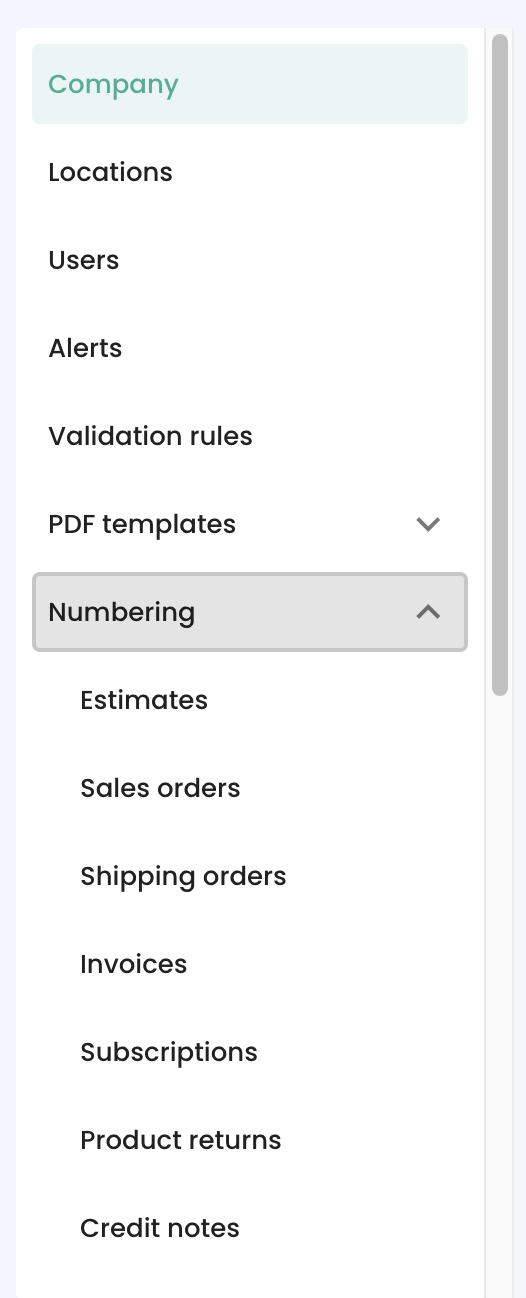
Each document type can have its own numbering setup. The numbering setup offers 2 modes, Free and Configured.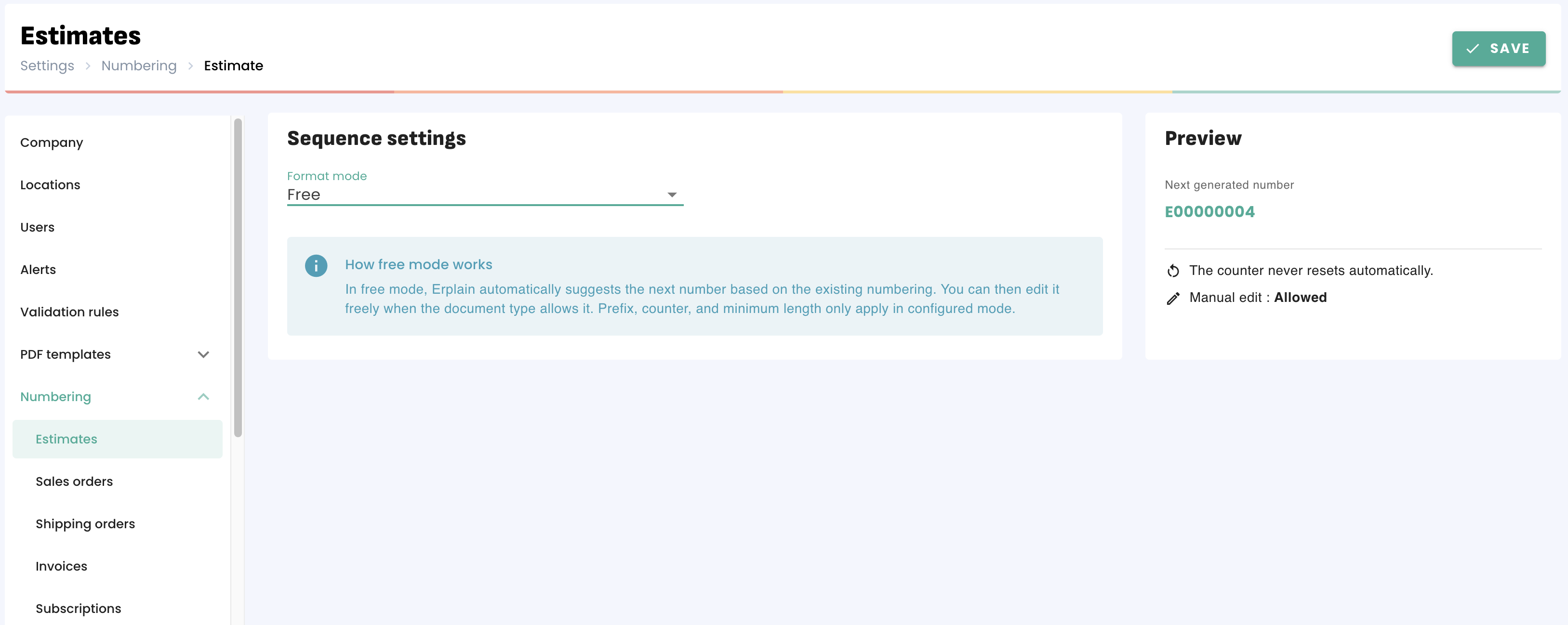
The free mode means that the number suggested for the document is the number of the previous document +1. It can then be edited by the user.
The configured mode allows users to set up a prefix and variables.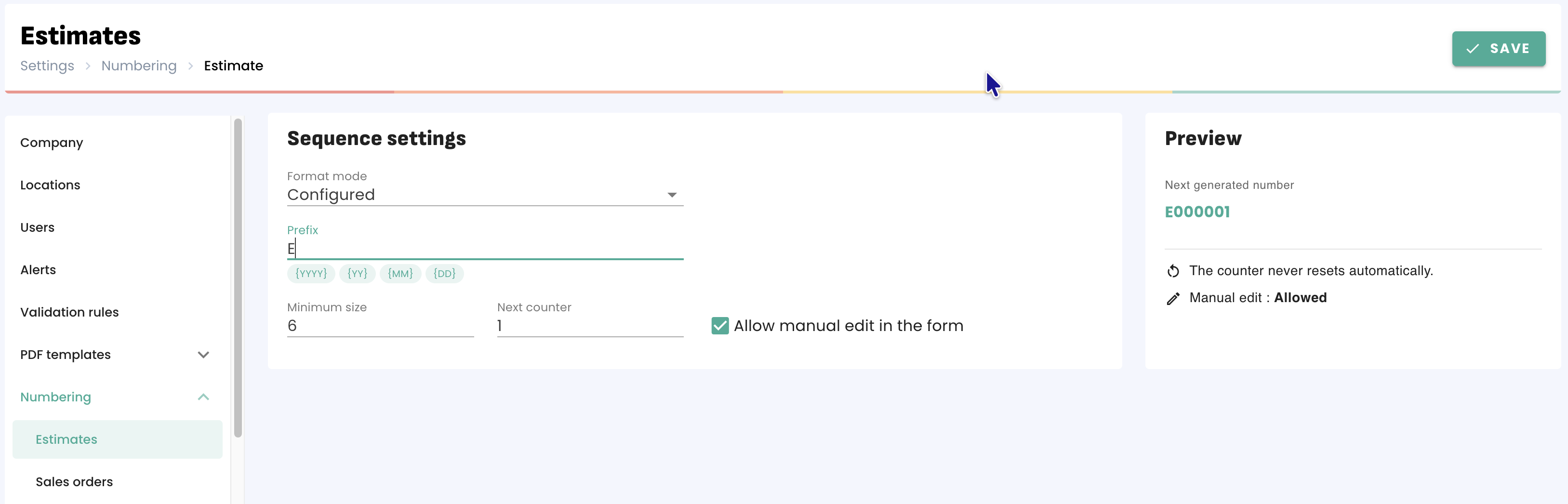
These settings can be adjusted so that documents using a specific year or month update automatically when entering the next period.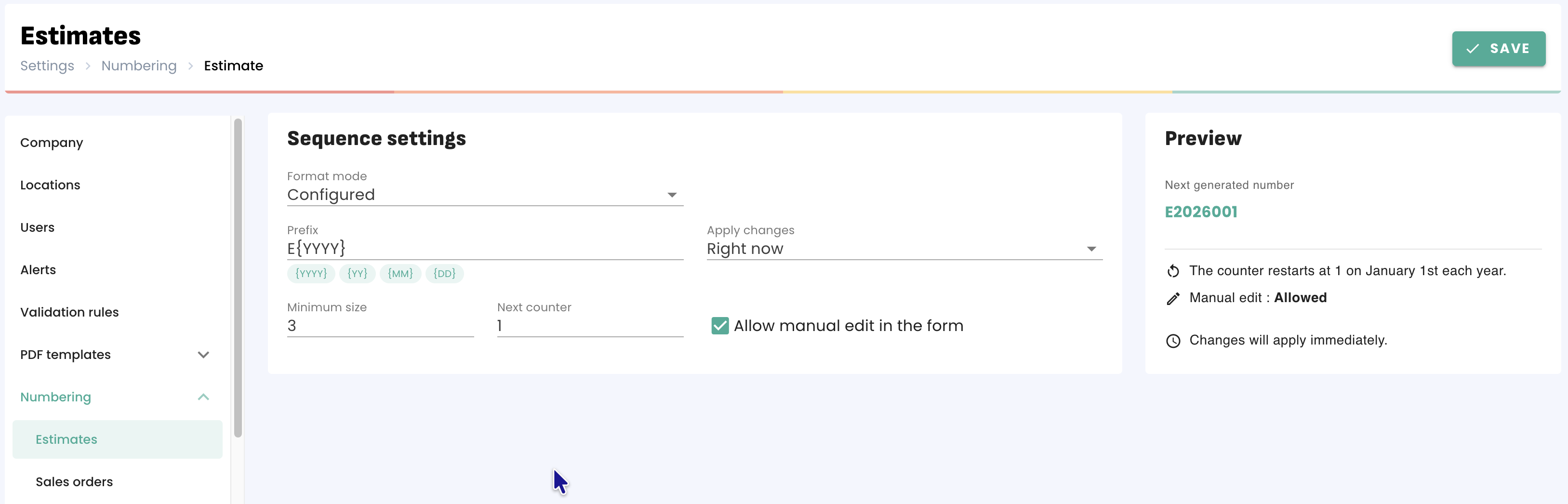
In the example above, estimates will use the E2026XXXX sequence until January 1st 2027, when the E2027XXX sequence will start.
Was this article helpful?
That’s Great!
Thank you for your feedback
Sorry! We couldn't be helpful
Thank you for your feedback
Feedback sent
We appreciate your effort and will try to fix the article